User Interface Help
See the route and integration notes and the English README.
You can also open this guide from the ? button in the top navigation or at /help?lang=en.
Table of contents
- Public interface
- Member interface
- Administrator panel
- Troubleshooting guide
Public interface
No account is required for /, /rankings, /players, /player/view?id=<player_id>, /matches, /tournaments, /tournaments/<tournament_id>, /reports, /category, and /sgf-library. These pages provide rankings, player profiles, match history, public tournaments, standings, rating information, reports, and SGF viewing or downloads.
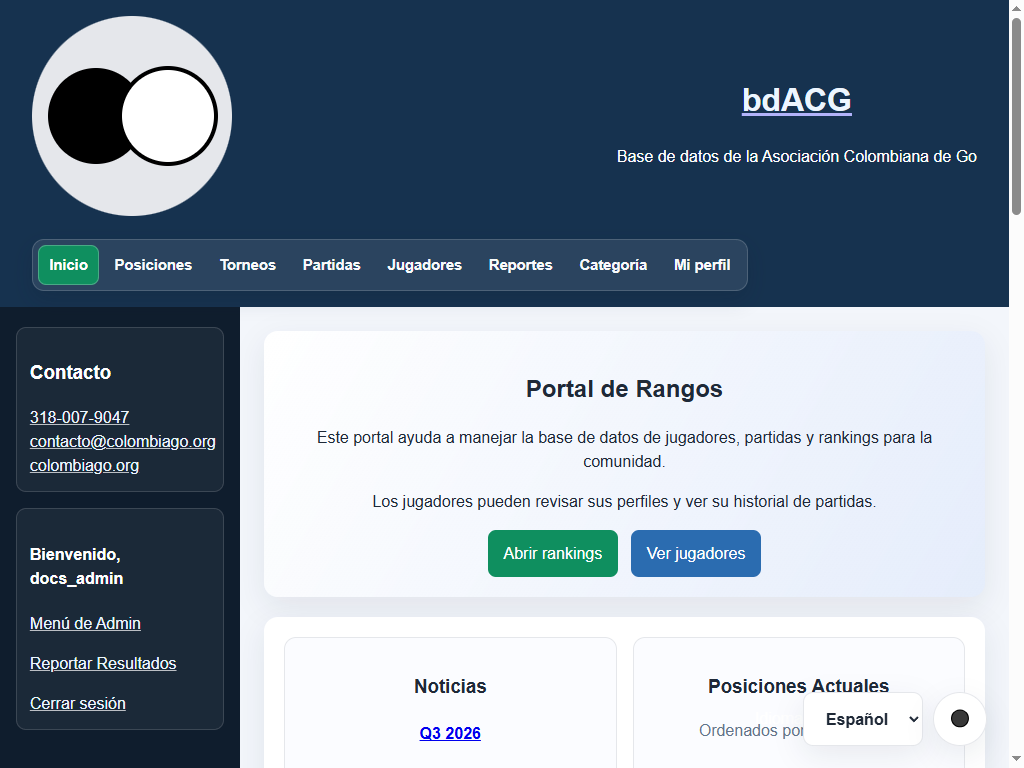
The public home page provides navigation, language and theme controls, rankings, statistics, and links to public content.
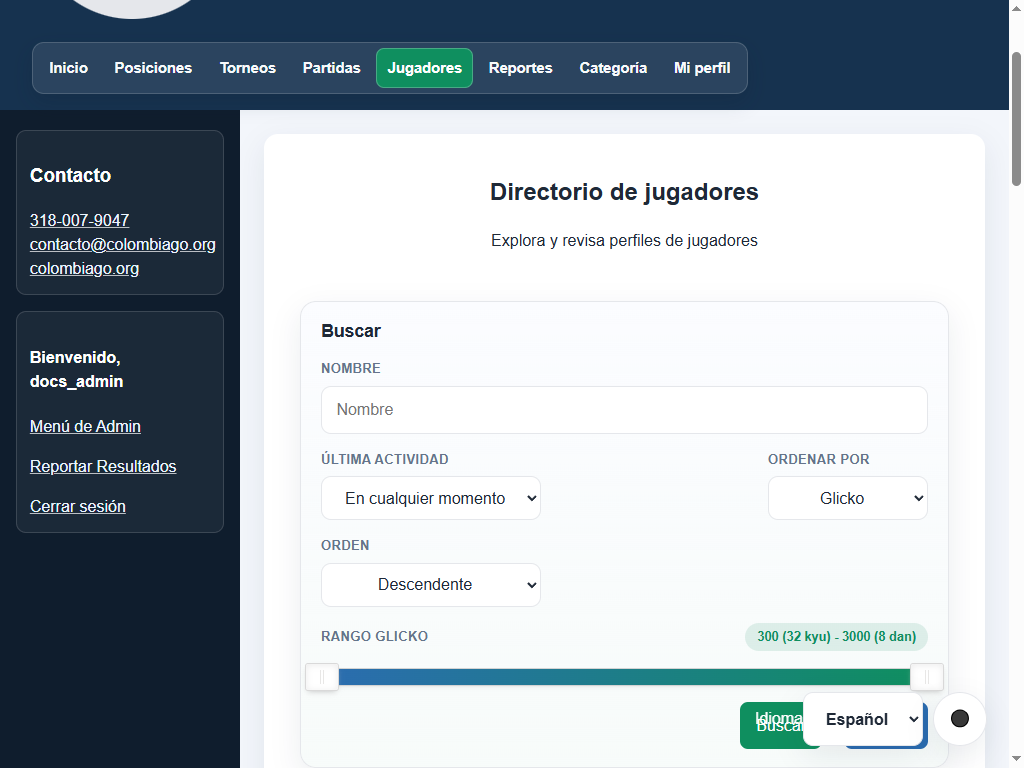
The player directory is used to browse profiles and filter the public player list.
Pages accept ?lang=es, ?lang=en, or ?lang=pt; use YYYY-MM-DD in date filters and fields.
Rankings and player directory
- Rankings (
/rankings): displays the official leaderboard with Glicko-2 rating, rating deviation (RD), calculated Dan/Kyu category, games played, win percentage, recent streak, and last activity date. Only active players appear. - Player directory (
/players): search by first or last name, filter by minimum and maximum rating range, filter by last active date, and sort by any column with configurable pagination. - Player profile (
/player/view?id=<id>): - Summary of current rating, RD, volatility, and category.
- Career milestones: peak historical rating, longest winning streak, wins as White, and wins as Black.
- Complete match history with date, color, opponent, result, event, and link to the SGF viewer if available.
- Interactive rating evolution chart over time.
- Tournament history with initial seed rank and final standing position.
- Head-to-head opponent records table.
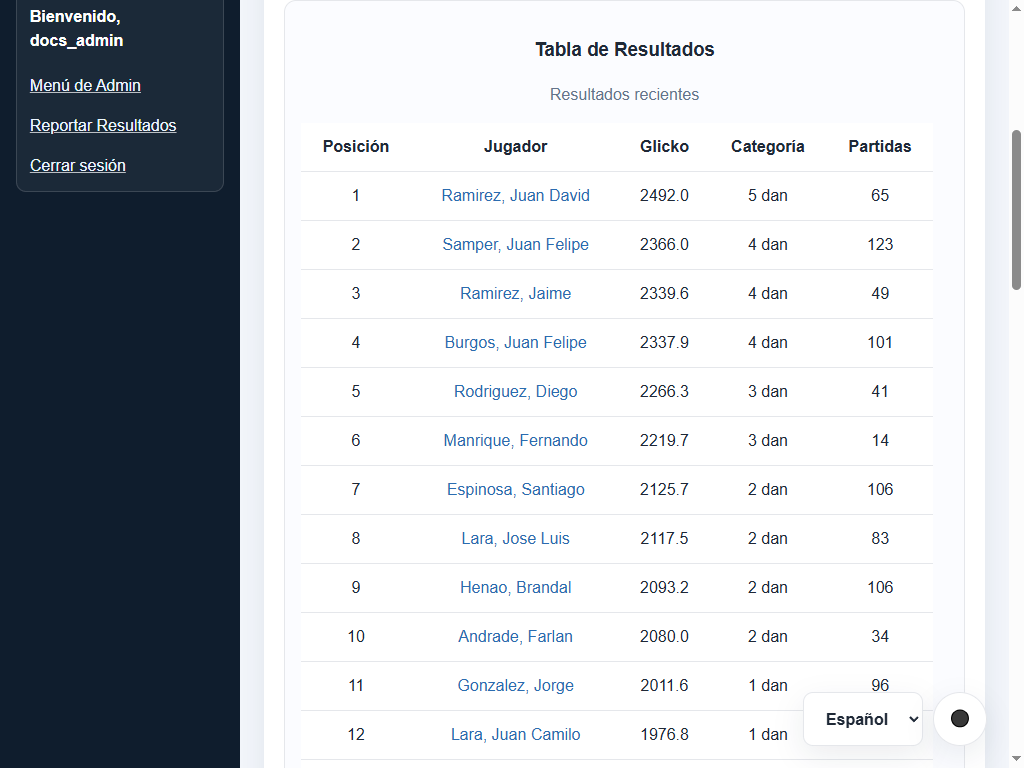
Official rankings sorted by Glicko-2 rating with category indicators and recent form.
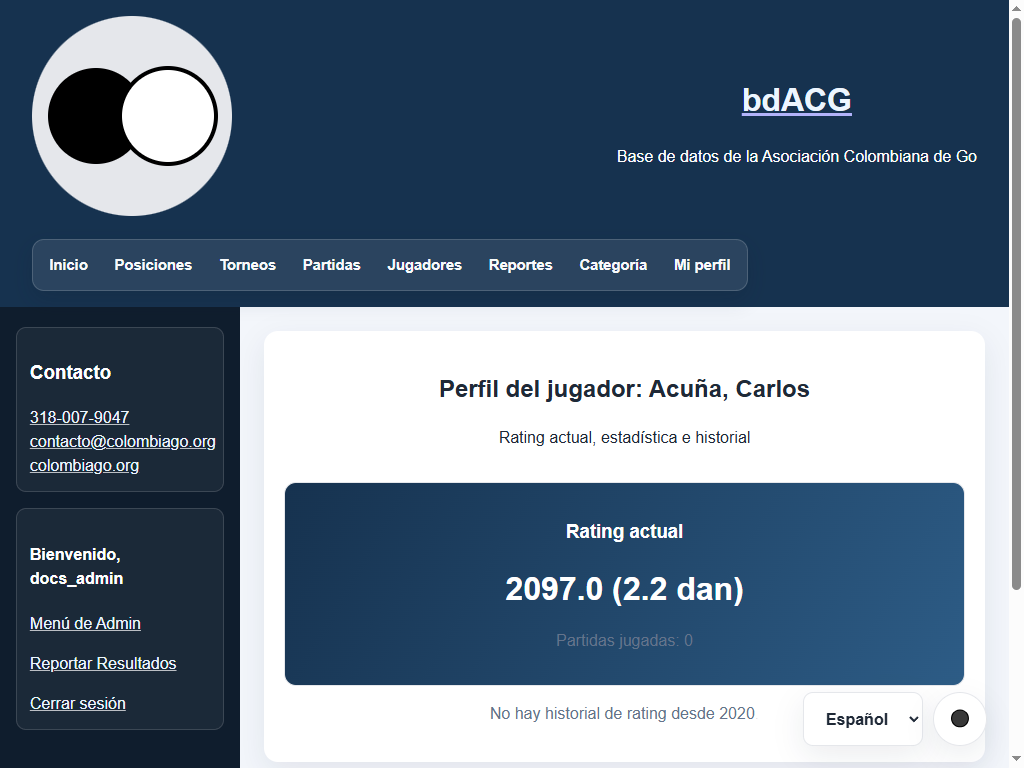
Public profile with current rating, category, and activity summary for the selected player.
Matches and SGF viewer
- Match list (
/matches): browse the entire match history with filters for date range and player, plus sorting by date, White player, Black player, result, or round. - SGF viewer (
/matches/<id>/recordand/sgf-library/<filename>): interactive SGF game viewer powered by BesoGo. Step through moves move-by-move, switch between Simple and Dark themes, and download the raw SGF file via direct link (/matches/<id>/sgfor/sgf/<filename>).
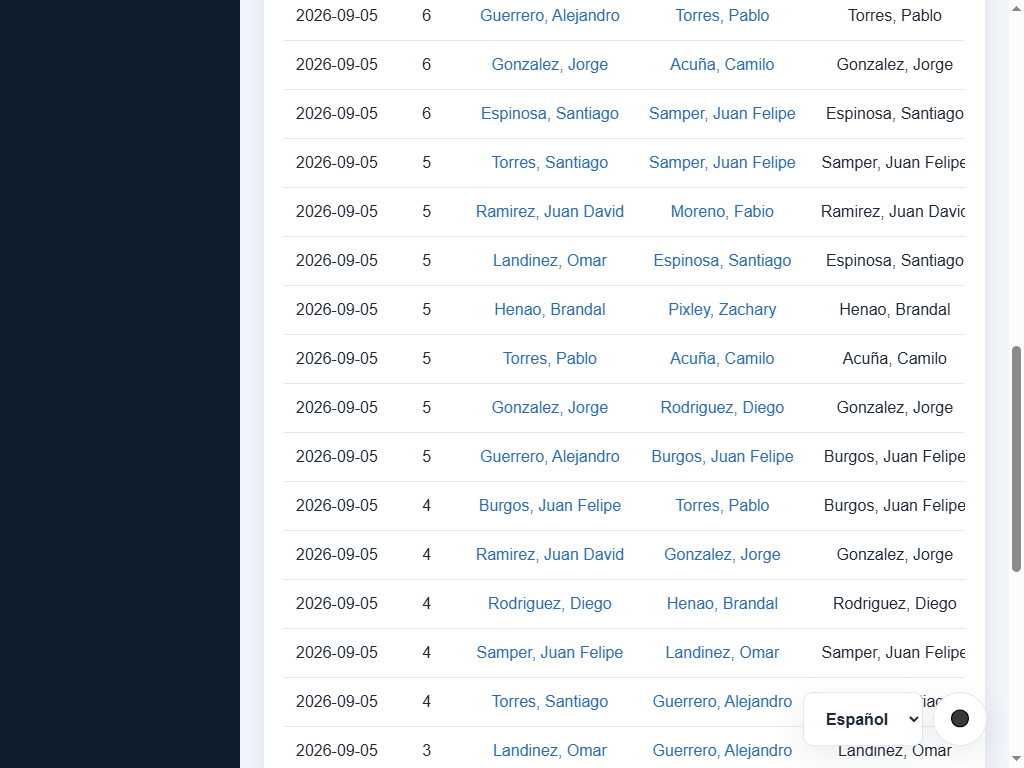
Global match list with filters, SGF library link, and viewing actions.
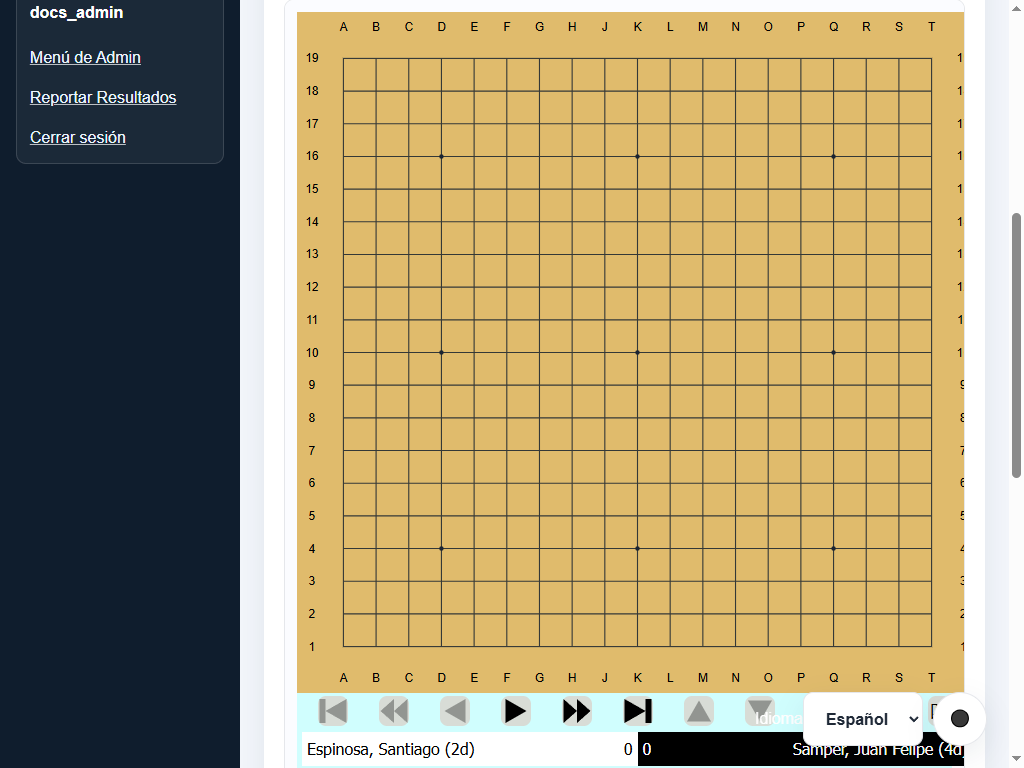
Linked match SGF viewer with playback controls, theme switch, and download action.
Public tournaments
- Tournament list (
/tournaments): displays active and completed tournaments with date, location, pairing system, round count, and status. Draft tournaments remain hidden from the public. - Tournament details (
/tournaments/<id>): view round-by-round pairings, table assignments, match results, and live standings with points (Pts/MMS), SOS, SOSOS, and SODOS tiebreaks.
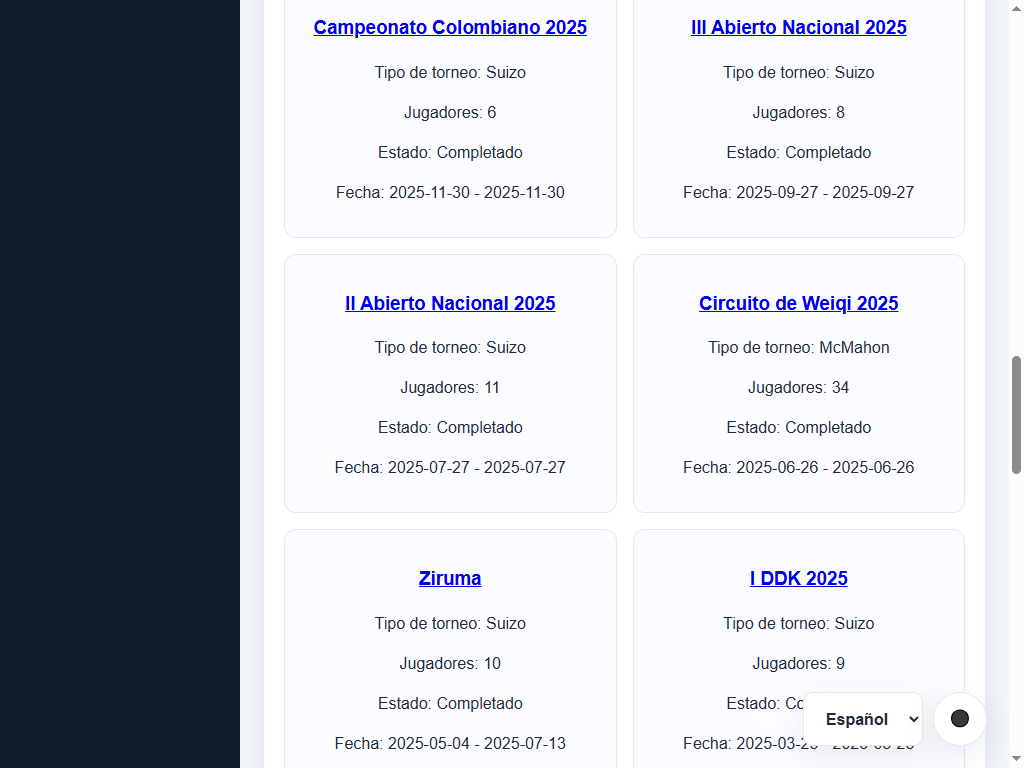
List of public tournaments showing status, system, and round count.
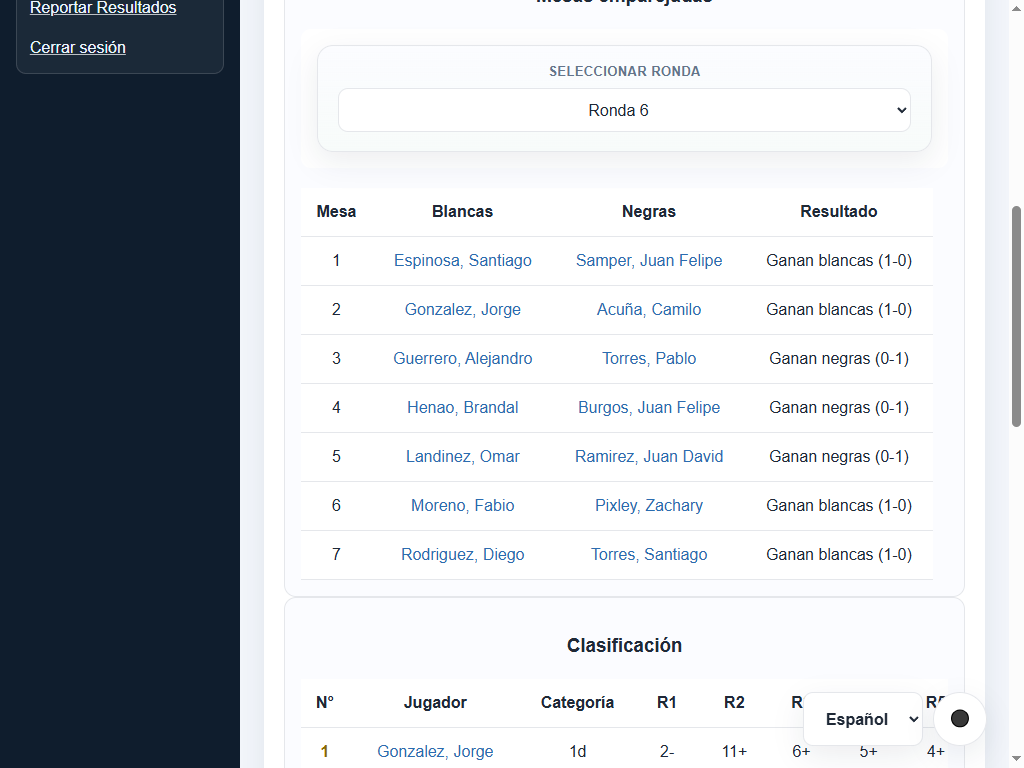
Tournament details with round selector, board pairings, results, and standings.
Period reports and export
- Reports screen (
/reports): analyze player performances over custom and standard time periods: - Predefined periods: All time, This year, This quarter, or Custom date range.
- Optional player filter to inspect records against individual opponents, clubs, and countries during the period.
- Date ranges
start_dateandend_dateare inclusive and evaluated in the server's fixed timezone (UTC-5). - Matches with invalid dates or results are excluded and tallied in the report summary.
- CSV export (
/reports/export.csv): downloads a CSV spreadsheet reflecting the exact calculated report table and active filters. - PDF export (
/reports/export.pdf): generates a formatted PDF document with centered headers, generation date, current language, and the selected player and period in the filename.
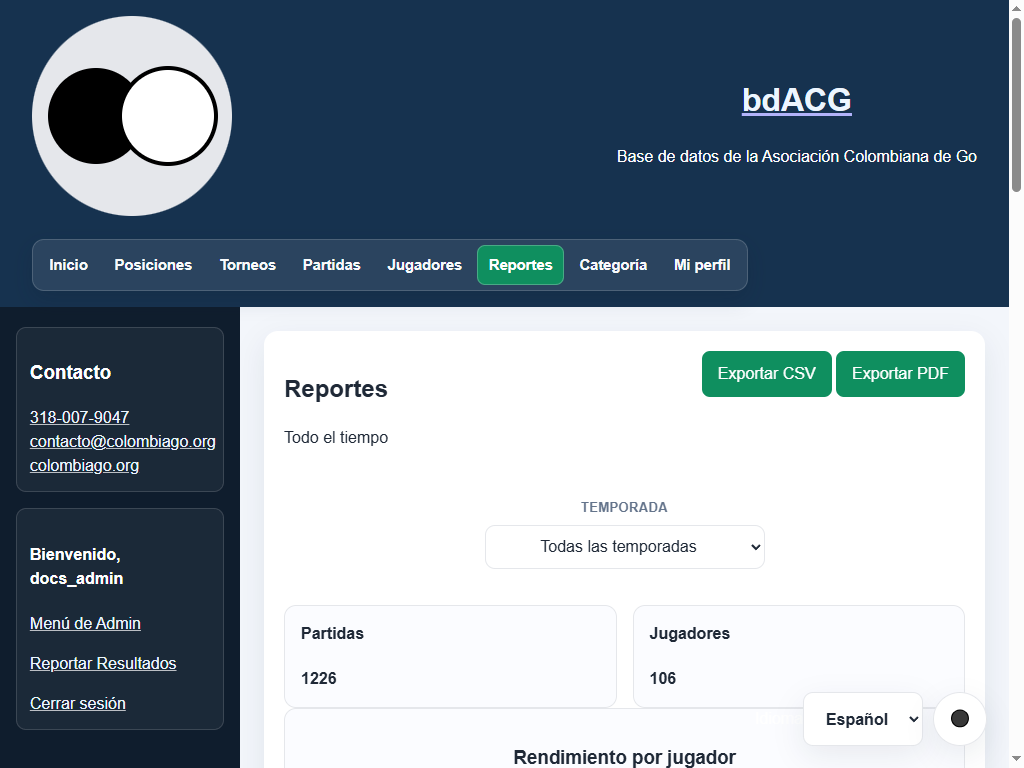
Period reports with date and player filters plus CSV and PDF download options.
Category converter
The /category page converts a Glicko rating to a Dan/Kyu category and displays the formula, configured constants, and complete scale.
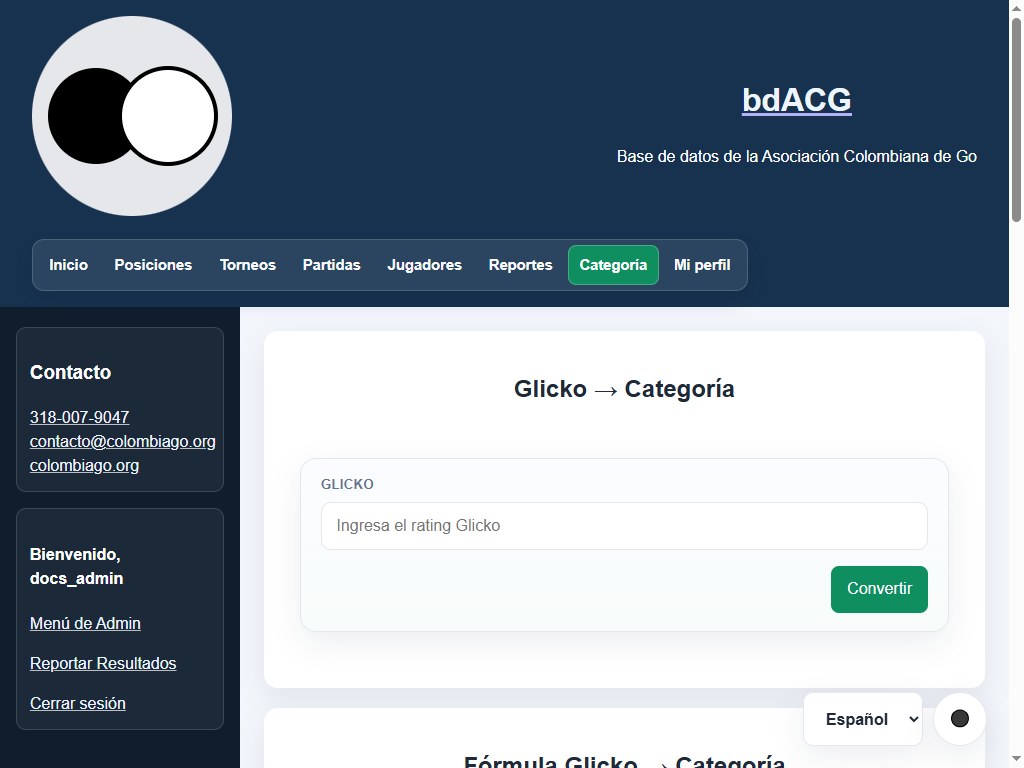
Rating-to-category converter with input field and calculation button.
Public news
The /news/<article_id> page displays a published article and turns player, tournament, and match tags into related links.
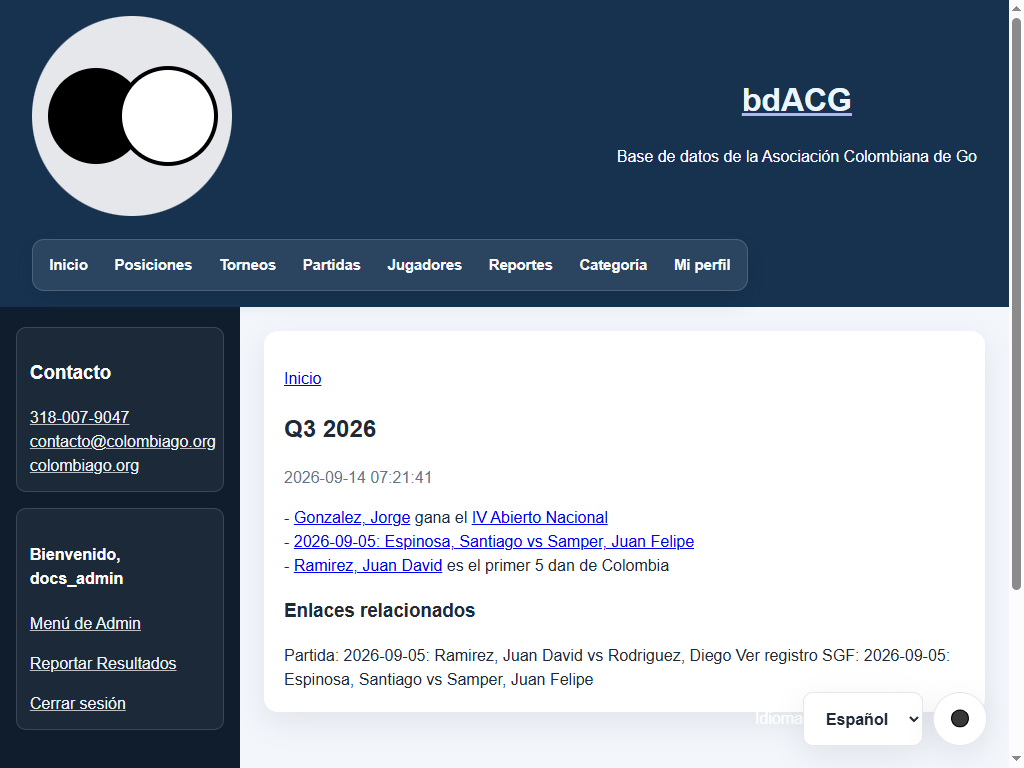
Published article with related links to players, tournaments, and matches.
SGF library
The public library (/sgf-library) indexes all SGF game records uploaded to the platform:
- Validates file size, UTF-8 character encoding, and syntactic SGF structure.
- Automatically synchronizes root SGF properties (White/Black players, ranks, event, date, and result) with the linked database match.
- If an SGF file is deleted from the server filesystem, stale database links are cleaned automatically to prevent broken URLs.
- Unlinking a record or deleting its match retains the file in the library; only administrators can permanently delete physical files.
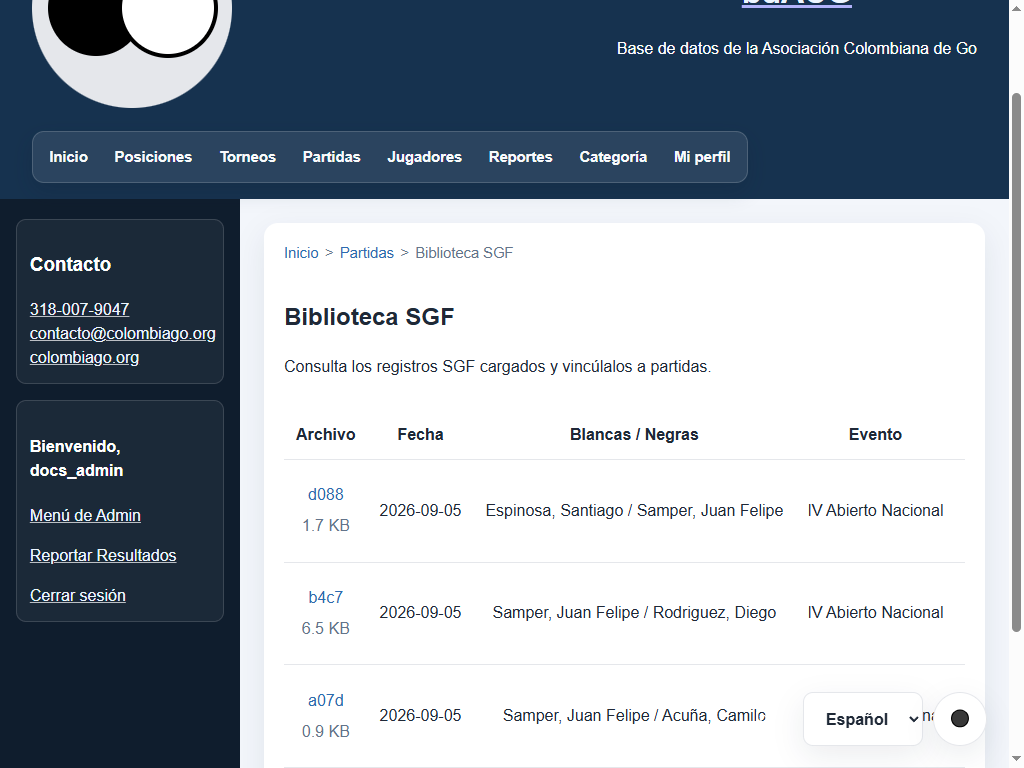
SGF library with metadata, linked matches, and viewer links.
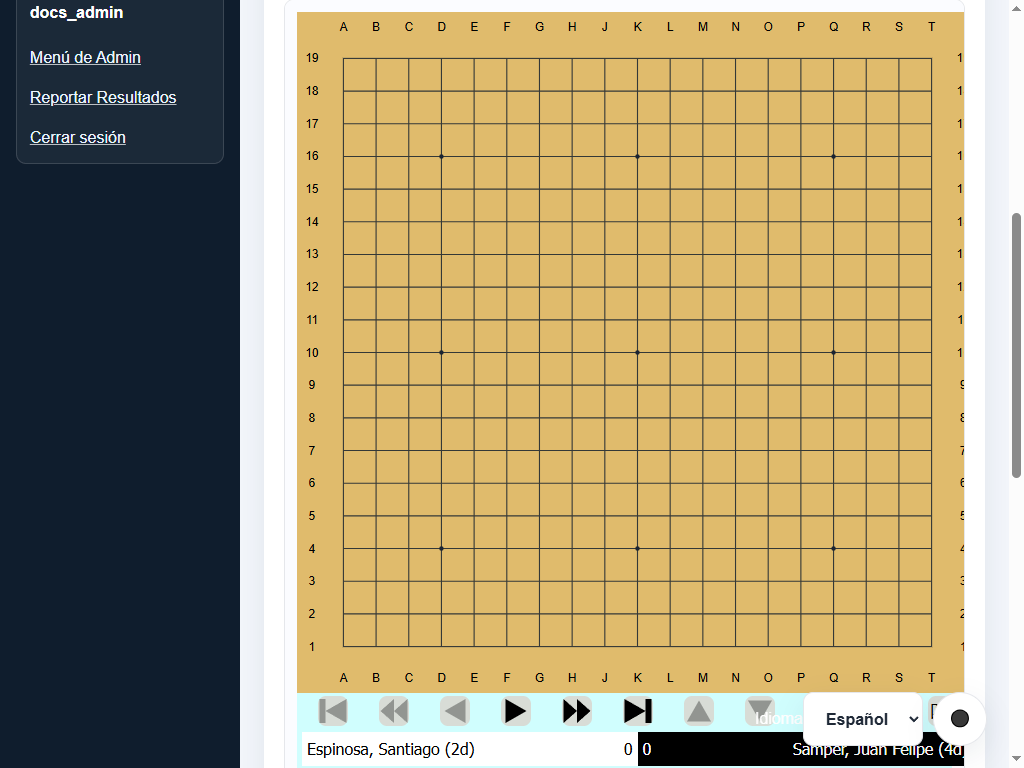
An SGF record opened from the library, with metadata and viewer controls.
Member interface
Community players can register a personal account to manage preferences and submit results for organized tournaments and club games.
Account registration and login
- Open
/admin/registerto create an account with username, email, and password (minimum 8 characters). The form is protected by Google reCAPTCHA v3. - New accounts are automatically assigned the
memberrole. - Ask an administrator or operator to link your user account to your player record at
/admin/users. - Sign in at
/admin/login.
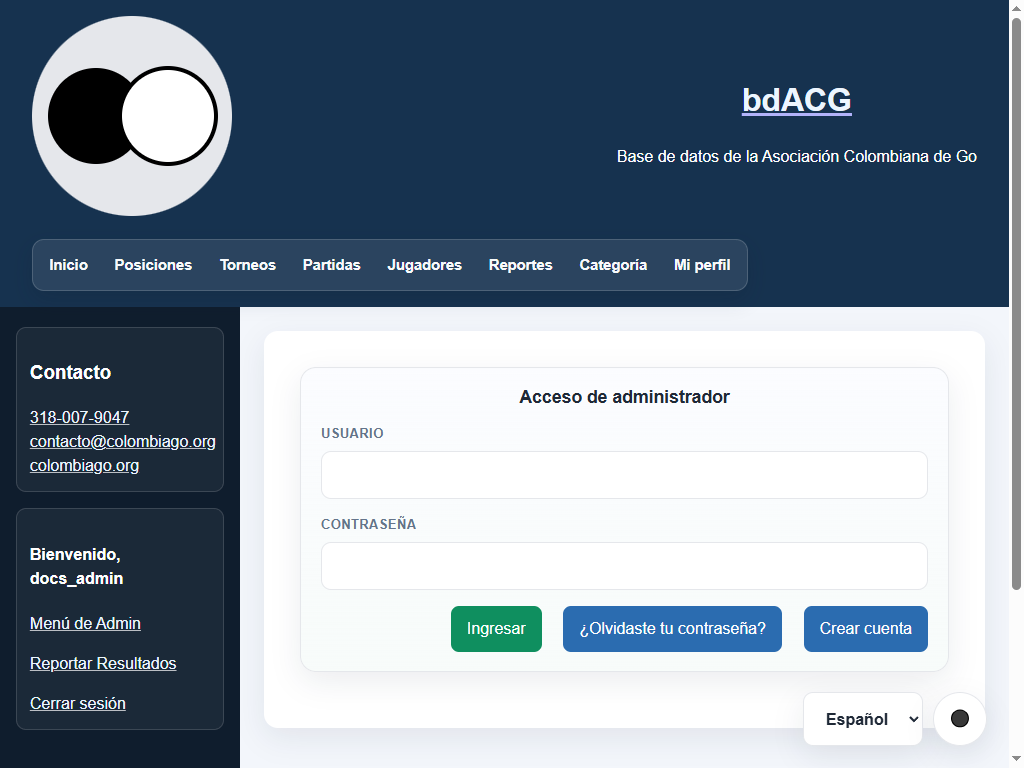
Administrator login form with registration and password-recovery links.
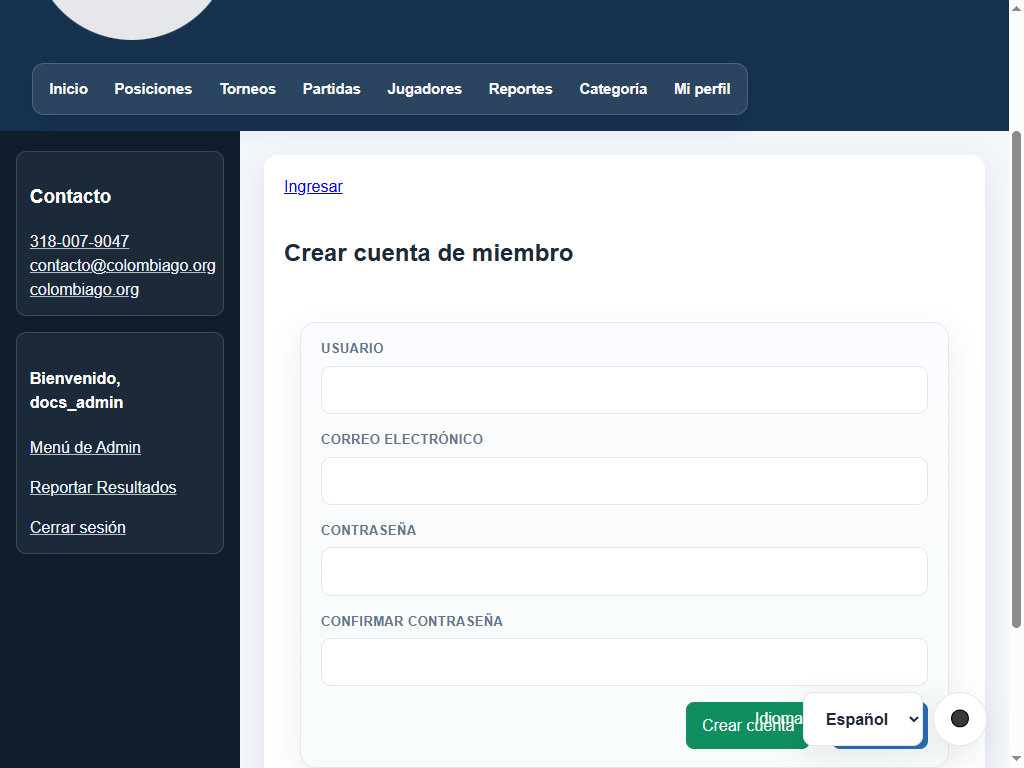
Member account registration form with email and password confirmation.
Profile management
From /admin/profile, authenticated users can:
- Update their notification and recovery email address.
- Select their preferred UI language (Español, English, Português).
- Toggle between Light and Dark application themes.
- Choose their IANA timezone with current UTC offset (e.g., America/Bogota [UTC-05:00], America/New_York, Europe/London).
- Change password by providing their current password and confirming the new one.
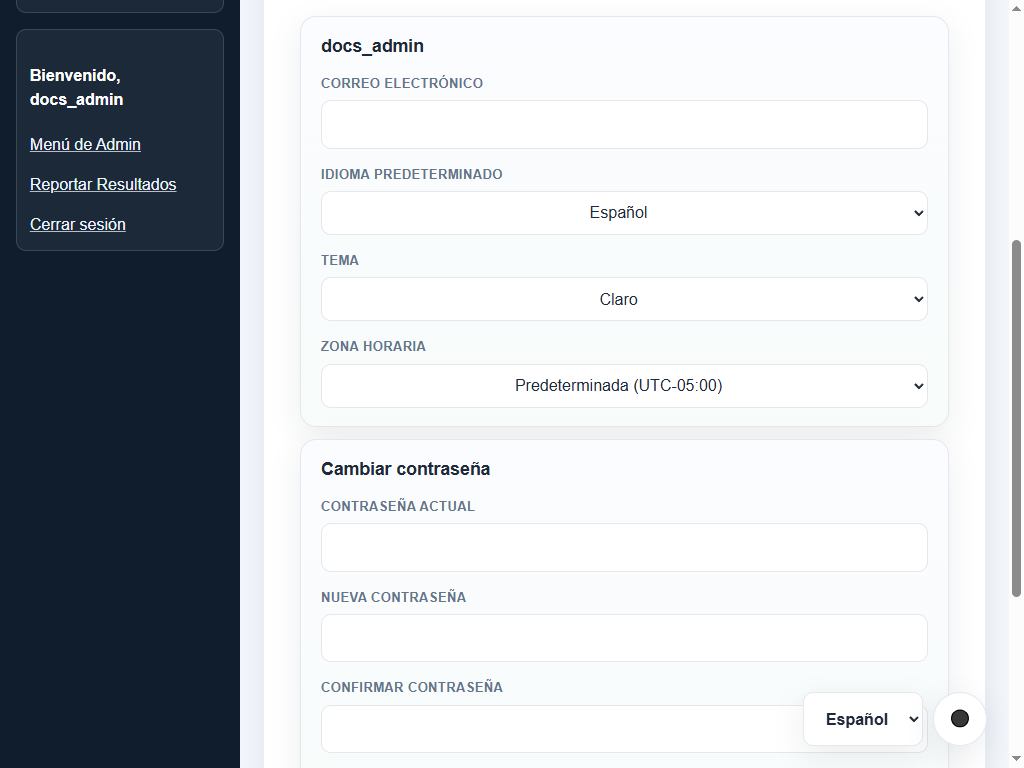
User profile settings for language, theme, timezone, and password management.
Password recovery
- If you forget your password, click Forgot password? on
/admin/loginor navigate to/admin/forgot-password. - Enter your registered email address. If found, the system dispatches a single-use cryptographically hashed reset link.
- Reset links expire according to
PASSWORD_RESET_TTL_SECONDS(default: 3600 seconds / 1 hour). - Open
/admin/reset-password/<token>to choose a new password. For security, responses never reveal whether an email address exists.
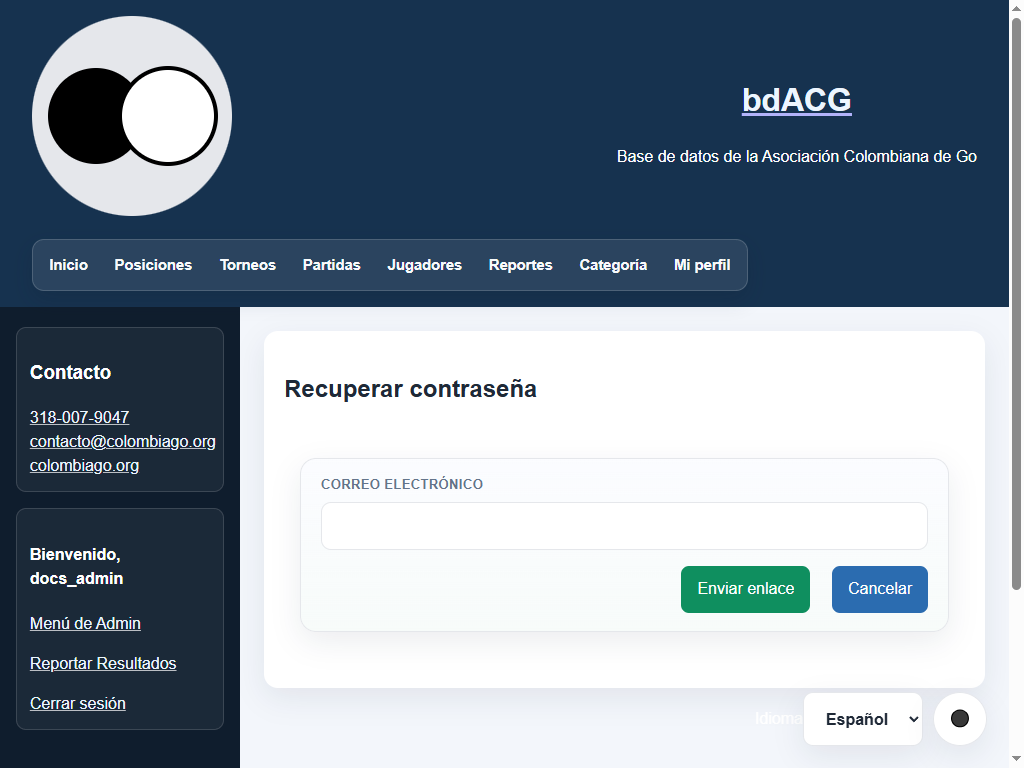
Request for a recovery link using the registered email address.
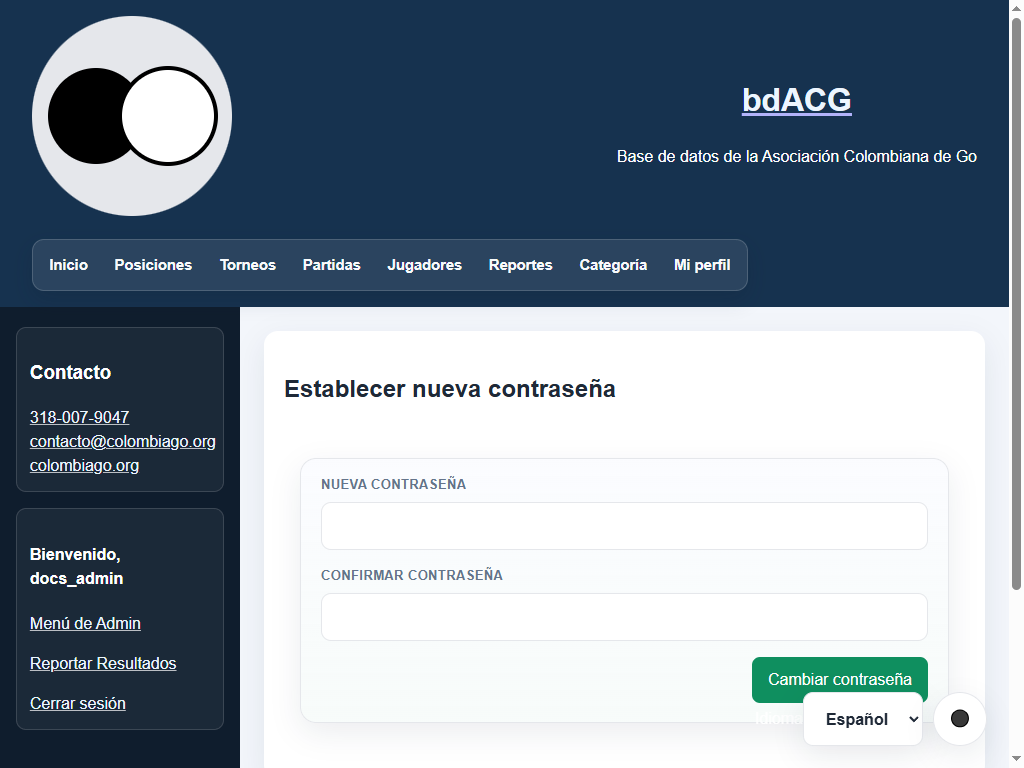
Form for setting a new password from a reset token.
Reporting results
Members can submit match results at /admin/report-results:
- Mandatory prerequisite: the user account must be linked to an active player record by an administrator.
- Submission form:
- Opponent: select the rival player from active players.
- Color: select whether you played as White or Black.
- Result: indicate White wins (
1-0), Black wins (0-1), or Draw (1/2-1/2). - Date: match date (
YYYY-MM-DD). - Event & Location: tournament or club event name and venue.
- Round: round number if applicable.
- Handicap stones: handicap stones (0 to 9) given to Black.
- SGF file (optional): upload the
.sgfgame record.
- Queue & moderation: submitted matches enter the Pending moderation queue (
/admin/result-submissions). They do not affect rankings, ratings, or reports until reviewed and approved by tournament staff.
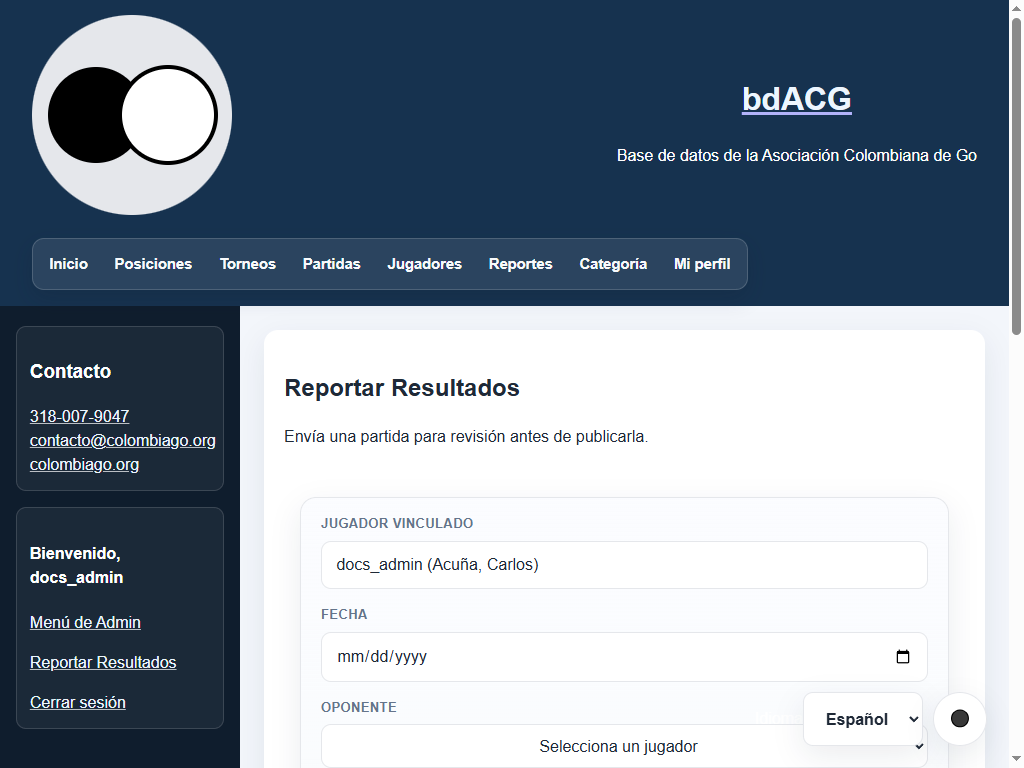
The member result screen shows the linked-player requirement and pending-submission area.
Administrator panel
Sign in at /admin/login with an administrative account. Available navigation adapts to the assigned account role:
- member: profile settings and match reporting for linked player.
- tournament_director: complete tournament management (participants, pairings, rounds, results, and exports).
- operator: all tournament functions plus match management, data imports, SGF library, news, and result moderation.
- administrator: full system control including players, rating/category configurations, database backups, user accounts, audit review, and settings.
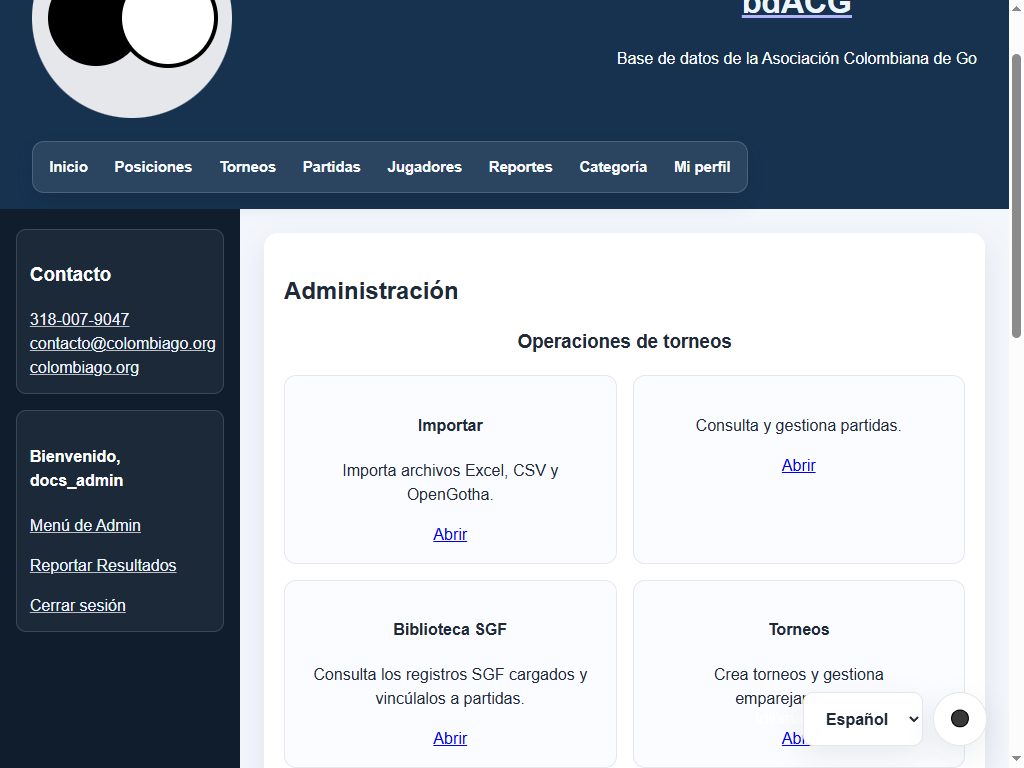
The dashboard groups controls into tournament operations, data management, and administration and access. Select Abrir on a card to open that area.
Tournament management
1. Creating and configuring tournaments (/admin/tournaments)
- Name, venue, and dates: enter official tournament title, city/location, and start/end dates.
- Round count: set total scheduled rounds.
- Pairing system:
- Standard Swiss (
swiss): pairs players with identical or close scores, avoiding rematches and alternating colors. - Category Swiss (
swiss_cat): restricts pairings strictly within rating categories for a specified initial number of rounds. - Accelerated Swiss (
accelerated_swiss): divides participants into acceleration bands (Go 3-band scheme or custom category limits) during initial rounds to speed up convergence. - McMahon (
mcmahon): assigns starting McMahon scores (MMS) based on rating using the McMahon Bar (mm_bar), Floor (mm_floor), and Zero (mm_zero). - BYE and absence points:
- BYE points: points awarded to an odd unassigned player (default: 1.0 point).
- Absence points: points awarded for unplayed absence games (default: 0.0 points).
- Automatic handicap: enable or disable automatic handicap stone suggestions calculated from category differences.
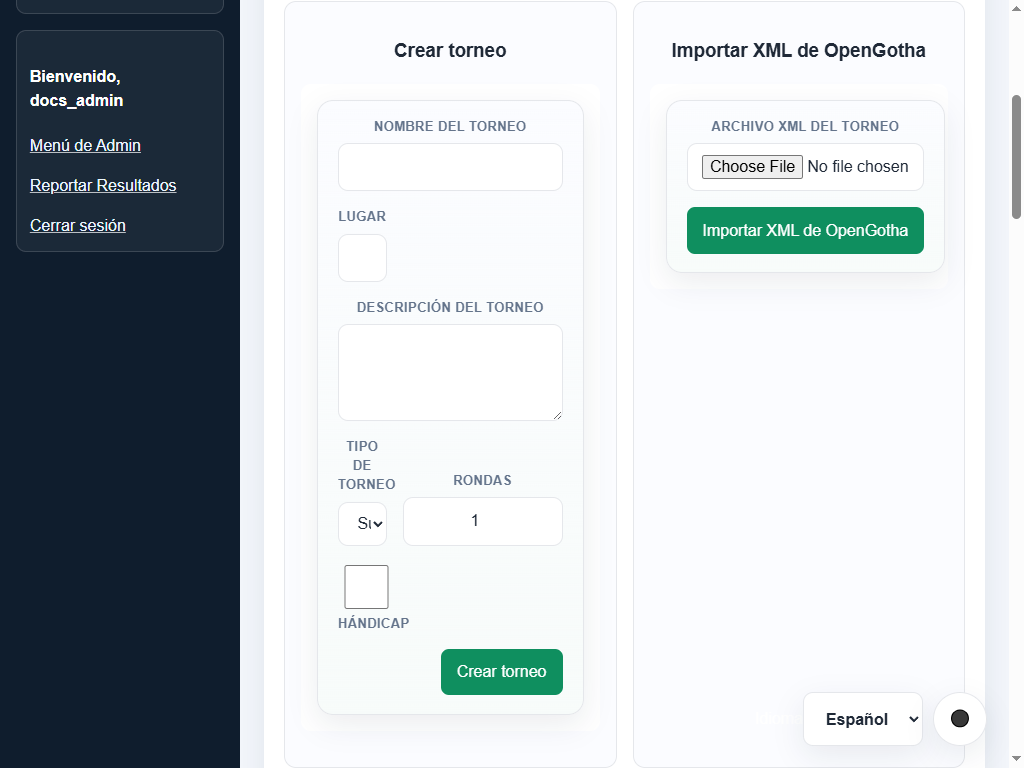
The tournament page provides controls for creating tournaments, selecting the pairing system, and opening tournament operations.
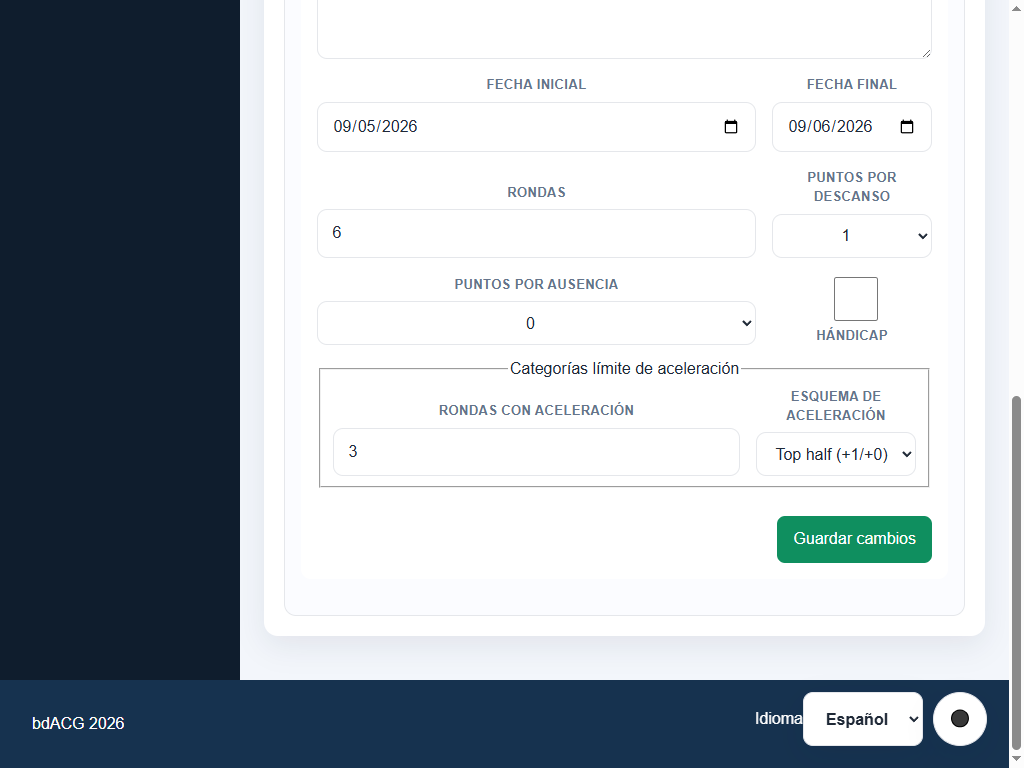
Tournament settings with dates, rounds, BYE/absence points, handicap, and acceleration options.
2. Managing participants
- Register players: add existing active players via selector or create new players directly in the tournament interface.
- Withdraw participants: remove players before round 1 begins.
- OpenGotha XML import: importing an OpenGotha file automatically loads players, seed ranks, grades, ratings, and past round history. If names match existing database players fuzzily, an interactive reconciliation tool lets the director link them, create new entries, or discard.
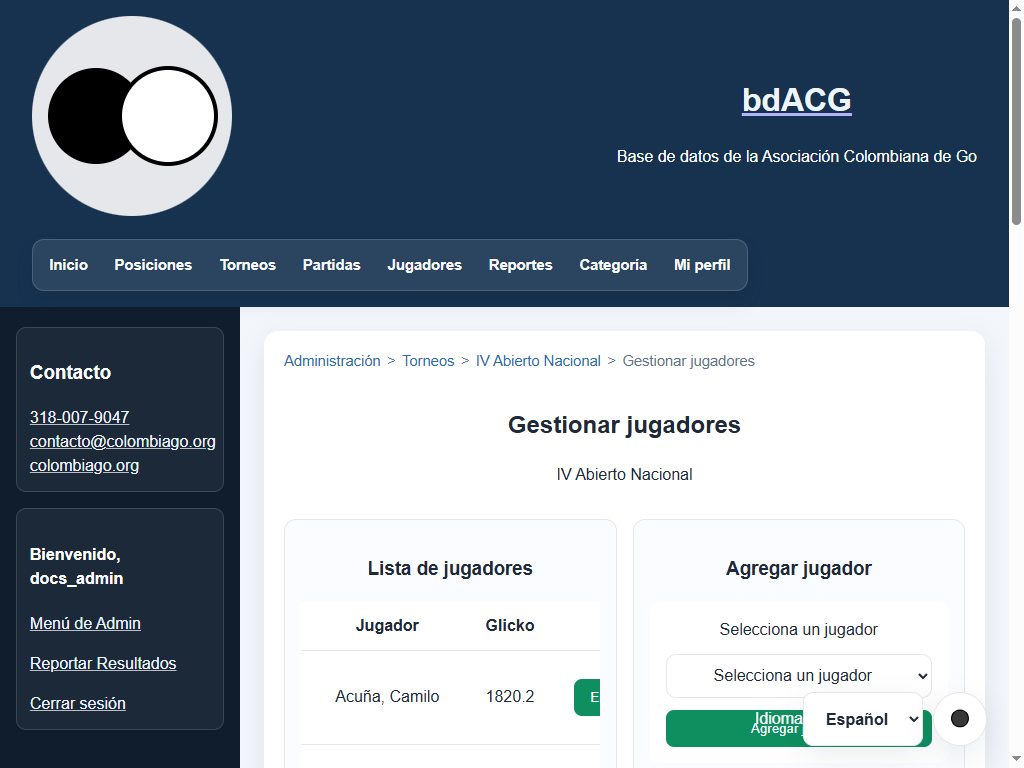
Participant management with the current list, existing-player selector, and pending-player creation.
3. Pairings, rounds, and entering results
- Generate round: automatically pairs players using the chosen pairing system, preventing past rematches and balancing colors.
- BYE handling: when participant count is odd, assigns a BYE automatically. The engine tracks BYE history so no player receives a second BYE while other participants have not received one.
- Manual and assisted pairing:
- Pair selected: choose two unpaired participants and click Pair Selected.
- Unpair / Unpair all: dissolve a specific board pairing or reset the entire round.
- Handicap adjustment per board: each board displays the suggested handicap stones; the director can adjust stones before saving results.
- 7-state result cycling: click the winner's name or result text to advance through:
1.
-: Pending result. 2.1-0: White victory. 3.1/2-1/2: Draw. 4.0-1: Black victory. 5.1-!0: White wins by Black absence / forfeit. 6.!0-1: Black wins by White absence / forfeit. 7.!0-0: Both players absent (double forfeit). Clicking the winning player again clears the result back to pending (-).
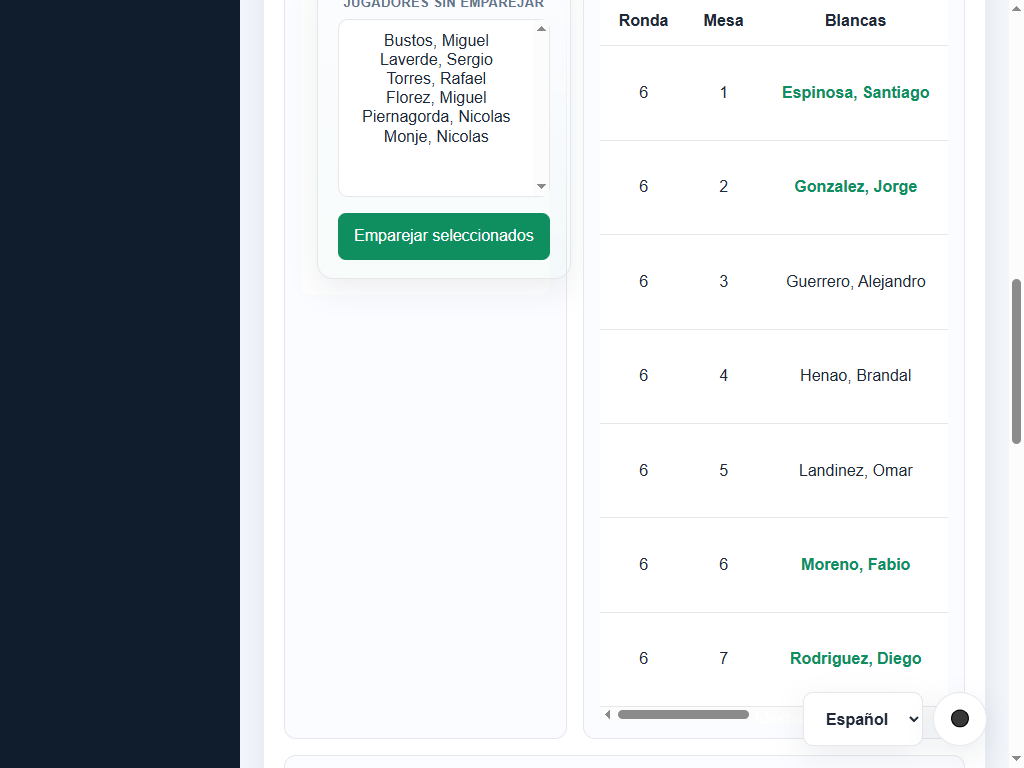
Tournament round control panel: board pairings, result selector, handicap stones, and standings.
4. Round processing and rating updates
- Process round (
Procesar ronda): - Materializes played game results (
1-0,1/2-1/2,0-1) into official database matches. - Absence results (
1-!0,!0-1,!0-0) count toward tournament standings and tiebreaks but are never converted into rating matches. - Applies logarithmic rating adjustments for handicap stones if present.
- Triggers incremental rating recomputation ordered chronologically by date and round.
- Standings and tiebreaks: standings positions are unique and sequential. Ties in points or MMS are resolved deterministically by SOS, SOSOS, SODOS, base rating, and alphabetical name.
- Ordering and migrations: within a day, rating updates use round number and then insertion order. Round notes are stored as integers when possible; unknown rounds use round 1. Tournament tables migrate automatically at startup.
- Tournament lifecycle:
- Draft (
draft): hidden from public view during organization. - Active (
active): published and visible with live pairings and standings. - Completed (
completed): concluded tournament with locked standings. - Canceled (
canceled): cancelled without rating effects. - Result exports: export tournament standings and pairings in compatible formats for external software and archives.
Data management
1. Import assistant with preview (/admin/import)
Import historical workbooks, match spreadsheets, or OpenGotha files:
- Accepted formats:
- Excel workbook (.xlsx or .xls): replaces the active dataset with full players and matches.
- OpenGotha XML (.xml): imports tournament metadata, participants, pairings, and handicap stones.
- Match CSV (.csv): columns date, white, black, result, and optional handicap (0-9).
- Create a backup before importing a workbook that replaces the active data.
- Explicit player reconciliation:
- Previews classify rows as Exact match, Fuzzy suggestion, New player, or Duplicate.
- Operators choose to link to existing players, create new players, or reject rows.
- Metadata can be reviewed and edited before committing.
- CSV validation errors abort the import cleanly without partial database commits.
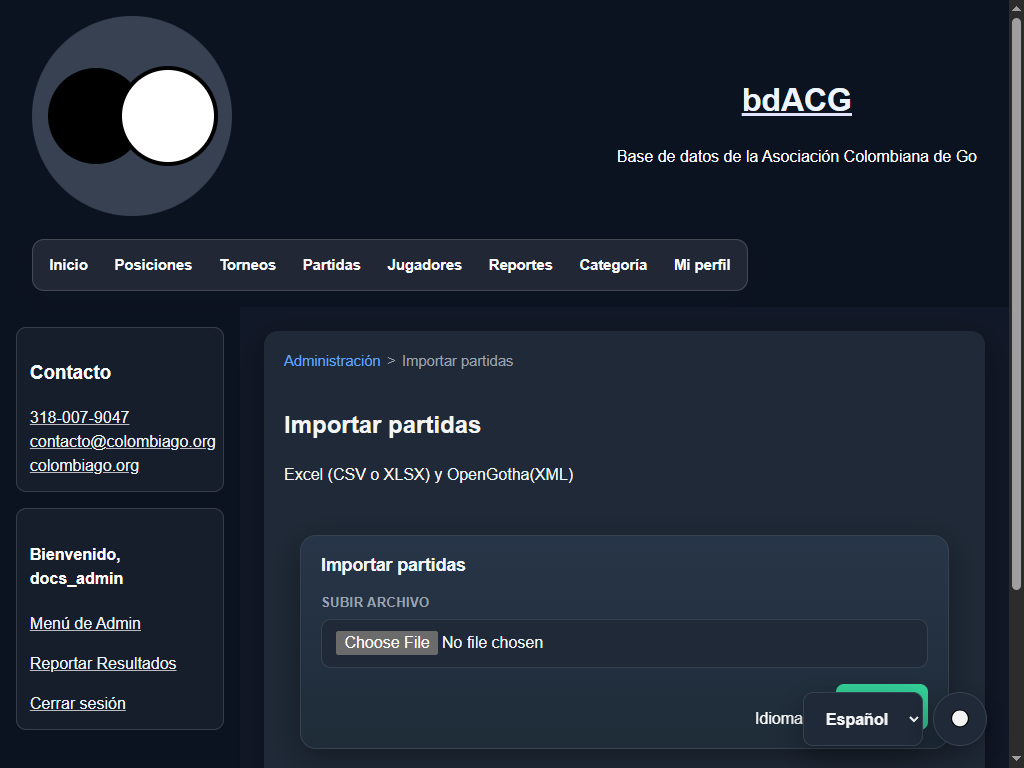
The import screen uses the file picker to select an Excel, CSV, or OpenGotha file, then Importar to start preview and reconciliation.
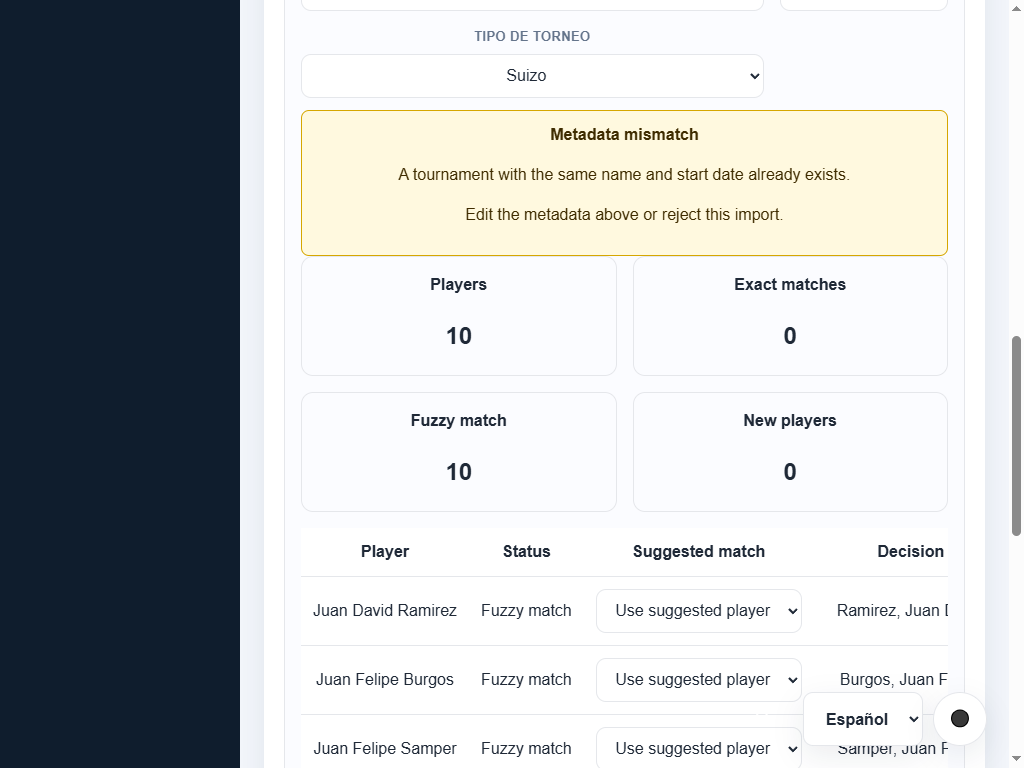
OpenGotha preview with editable metadata, match summary, and per-player decisions.
2. Player administration (/admin/players)
- Filter players by name, rating range, and active status.
- Edit player (
/admin/players/edit?id=<id>): update first name, last name, display name, initial rating, initial RD, and active status. Inactive players are excluded from rankings and tournament selection. - Delete player: safe confirmation modal warning about cascade deletion of associated match history.
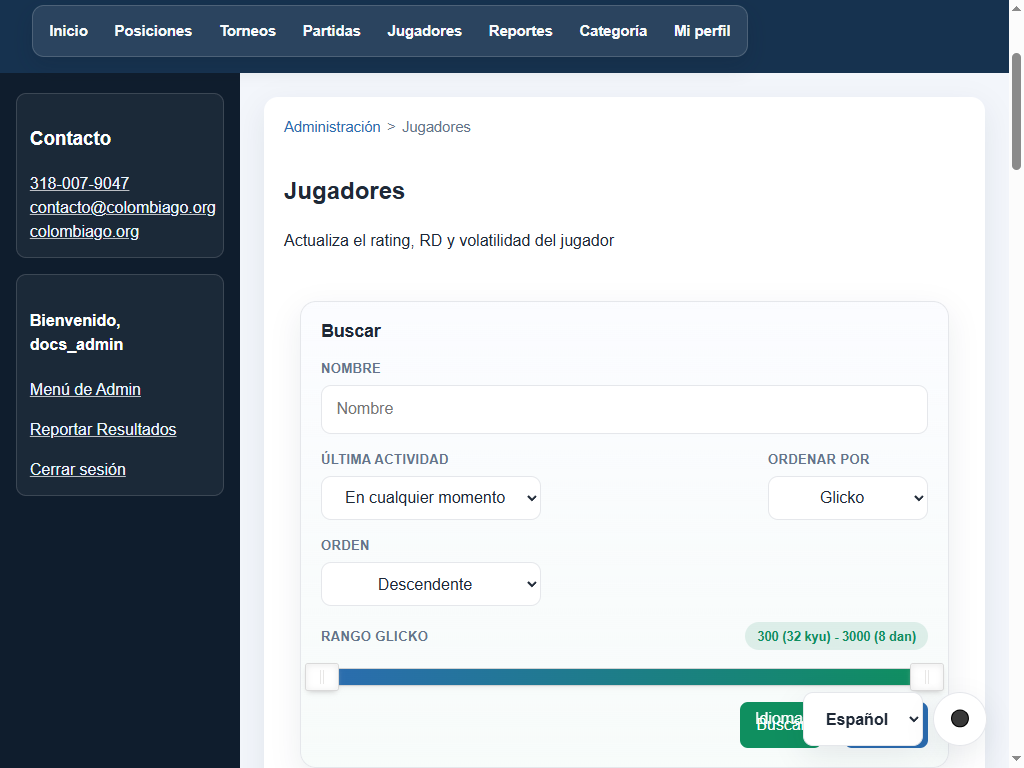
Administrative player list with filters, Glicko range, status, and edit actions.
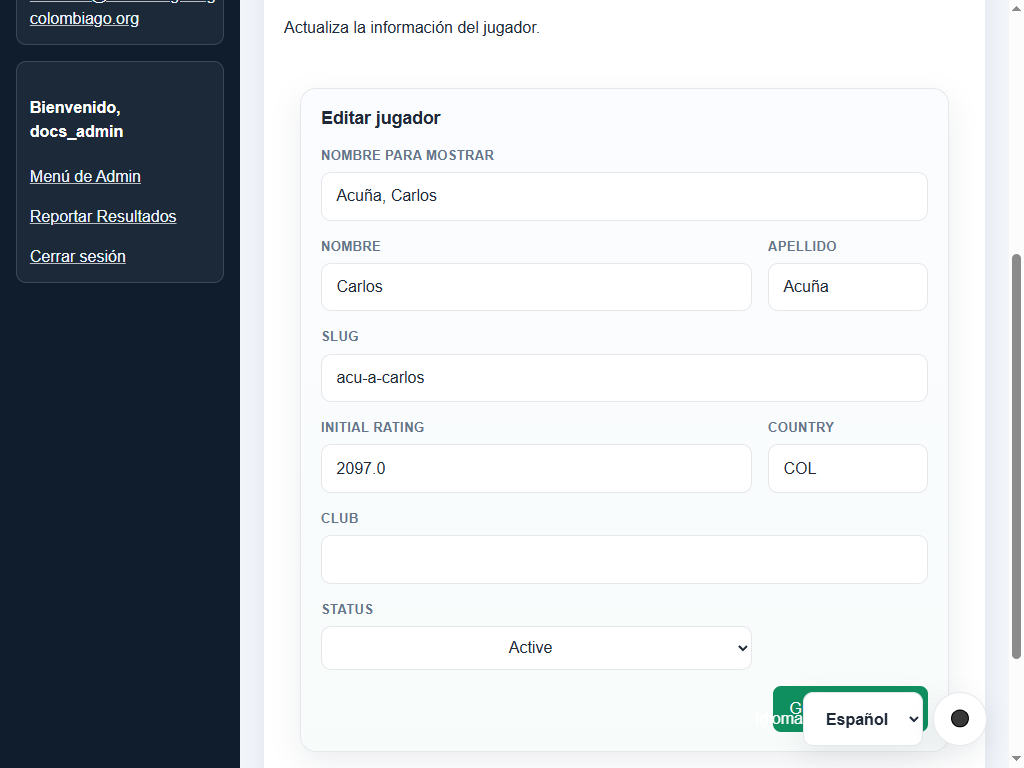
Player editor with name, initial rating, club, country, and active-status fields.
3. Match administration (/admin/matches)
- Paginated list of all matches with date and player filters.
- Add match (
/admin/matches/add): form with strict date validation (YYYY-MM-DD), distinct player validation, result validation (1-0,0-1,1/2-1/2), handicap stones (0-9), and optional SGF upload. - Edit match (
/admin/matches/edit?id=<id>): update players, dates, results, or round notes. - When tournament results become official matches,
eventkeeps the tournament name andnotes(shown asRound) stores the round as an integer. Legacy values are converted when they contain a number; text without a number is kept and treated as round 0. - SGF attachment & deletion: link existing SGF records from the library or upload new files.
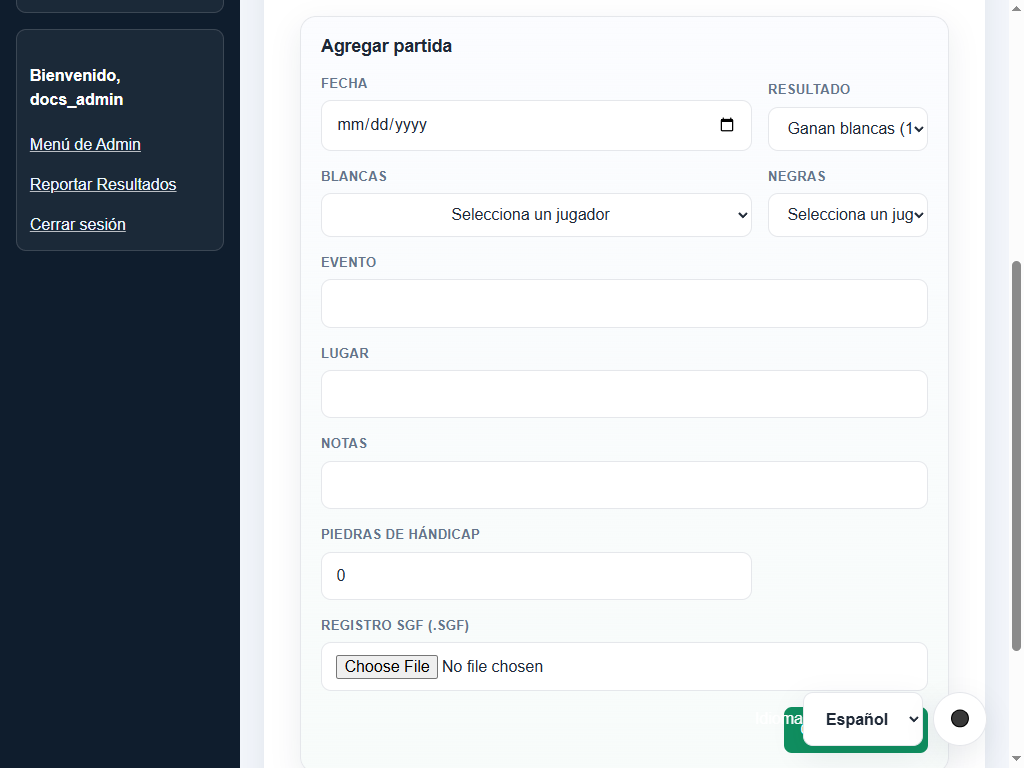
New-match form with players, result, date, round, handicap, and optional SGF upload.
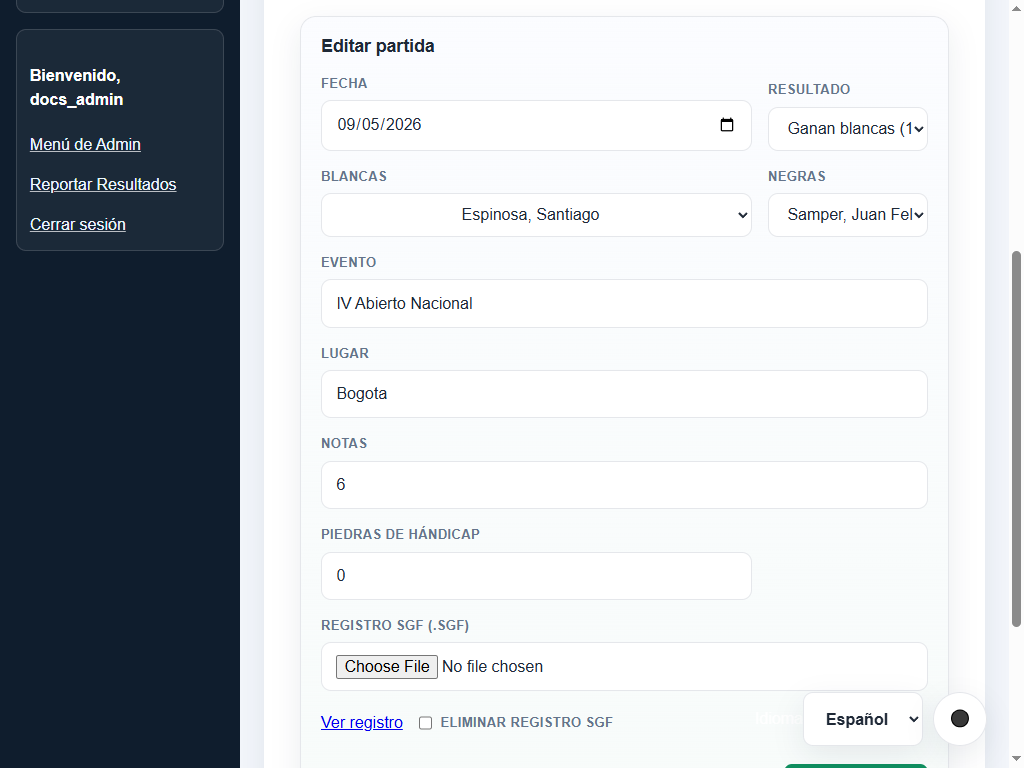
Pre-filled edit form for correcting an existing match.
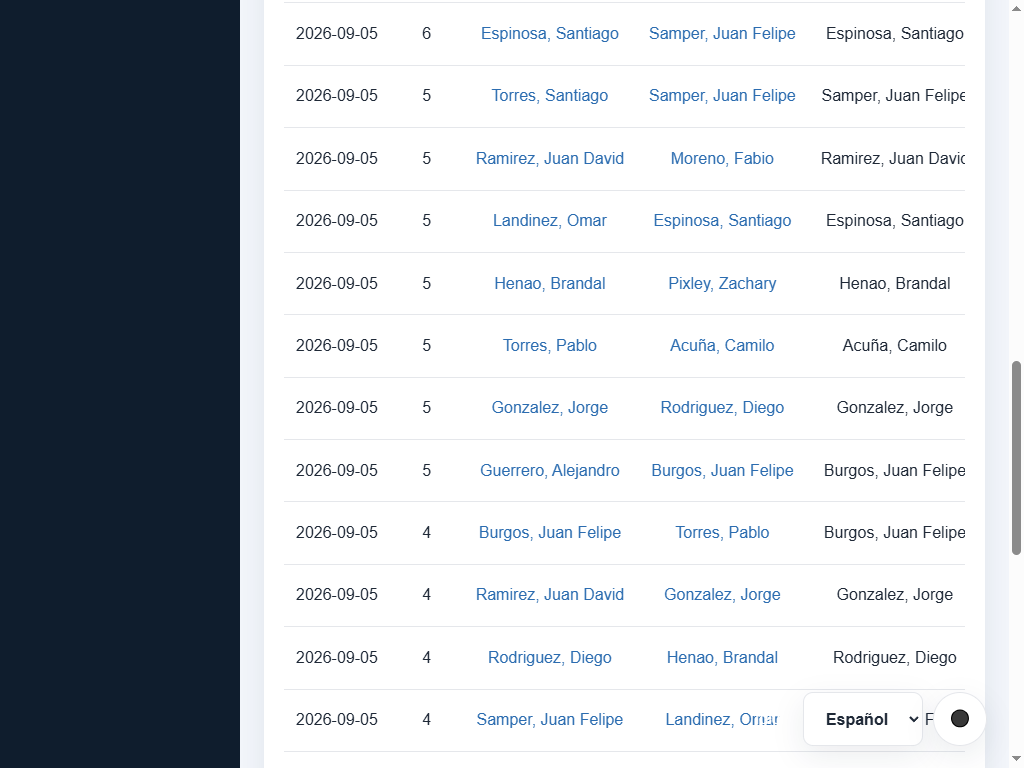
Match administration table with date/player filters and edit, delete, and SGF management tools.
4. Rating and category configuration (/admin/ratings and /admin/categories)
- Glicko-2 parameters:
- Default initial rating (e.g., 1500).
- Default initial rating deviation (RD, e.g., 350).
- Default initial volatility ($\sigma$, e.g., 0.06).
- System constant $\tau$ (e.g., 0.5).
- Category parameters:
- Scale constant $k$ and offset $m$.
- Minimum category thresholds for Dan and Kyu levels.
- Rating recalculation:
- Full recompute: rebuilds entire rating history from scratch ordered by date and round.
- Incremental replay: recalculates snapshots starting from the earliest modified date (dirty date).
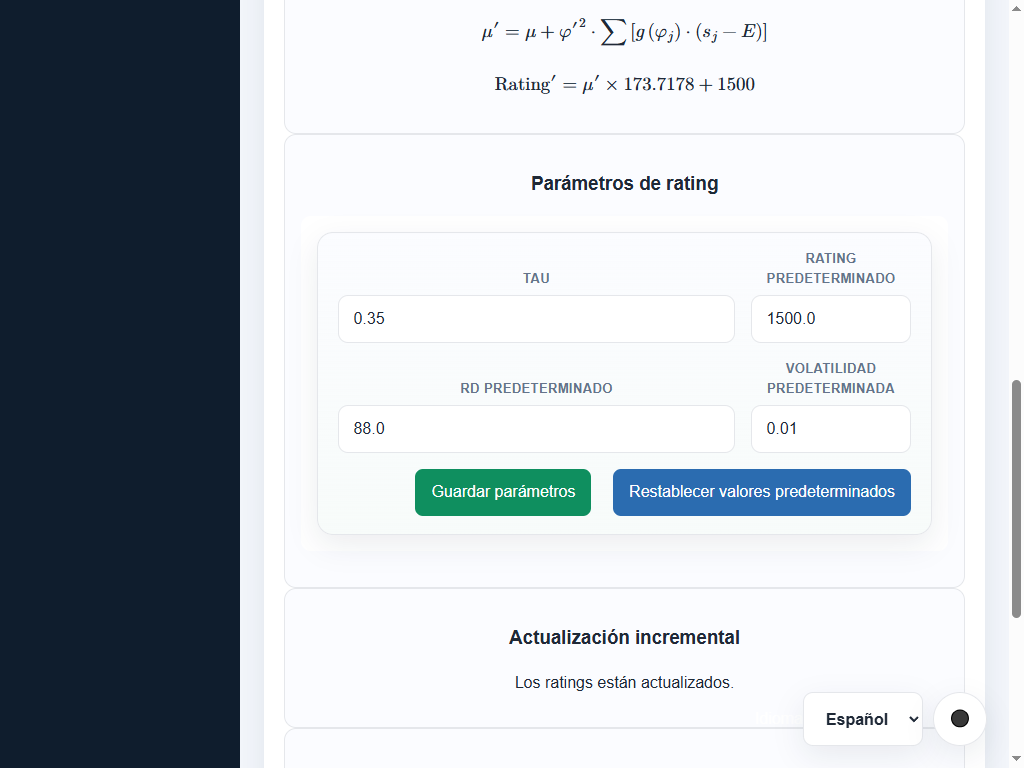
Rating panel with Glicko-2 parameters, history counts, and recalculation actions.
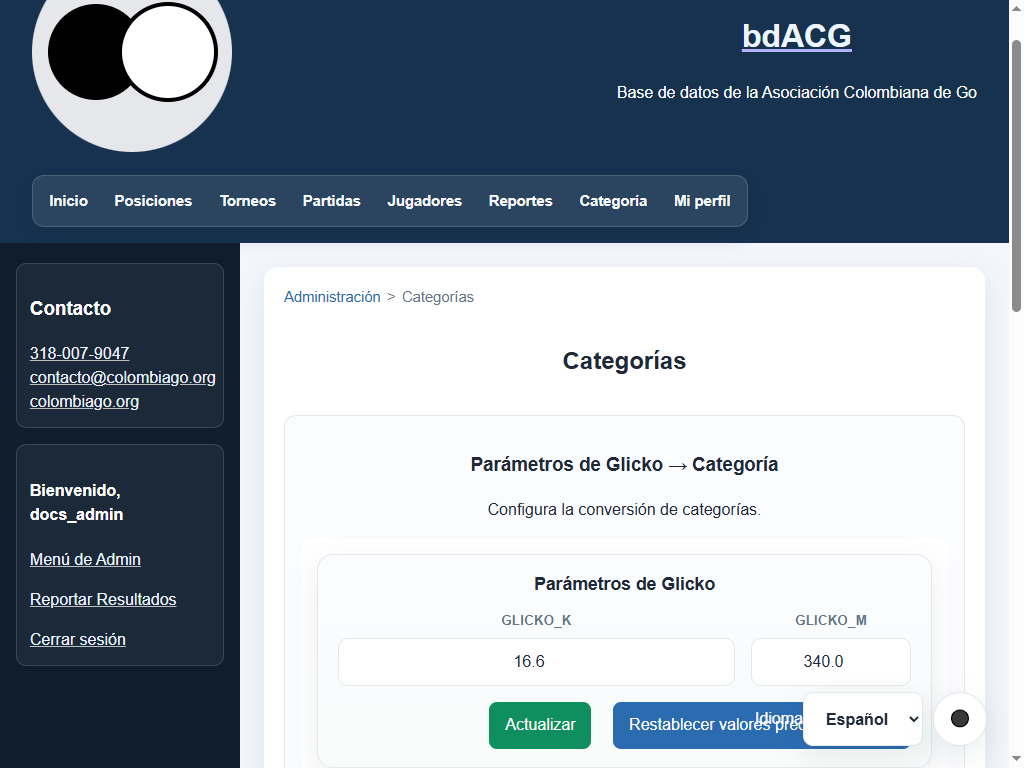
Dan/Kyu formula configuration with a preview of category changes.
5. Result moderation queue (/admin/result-submissions)
- Review pending game submissions from community members.
- Inspect submitter, opponent, colors, result, date, handicap stones, and attached SGF record.
- Approve: materializes the match in the official database and triggers rating recomputation.
- Reject: rejects the submission and records a review note for audit tracking.
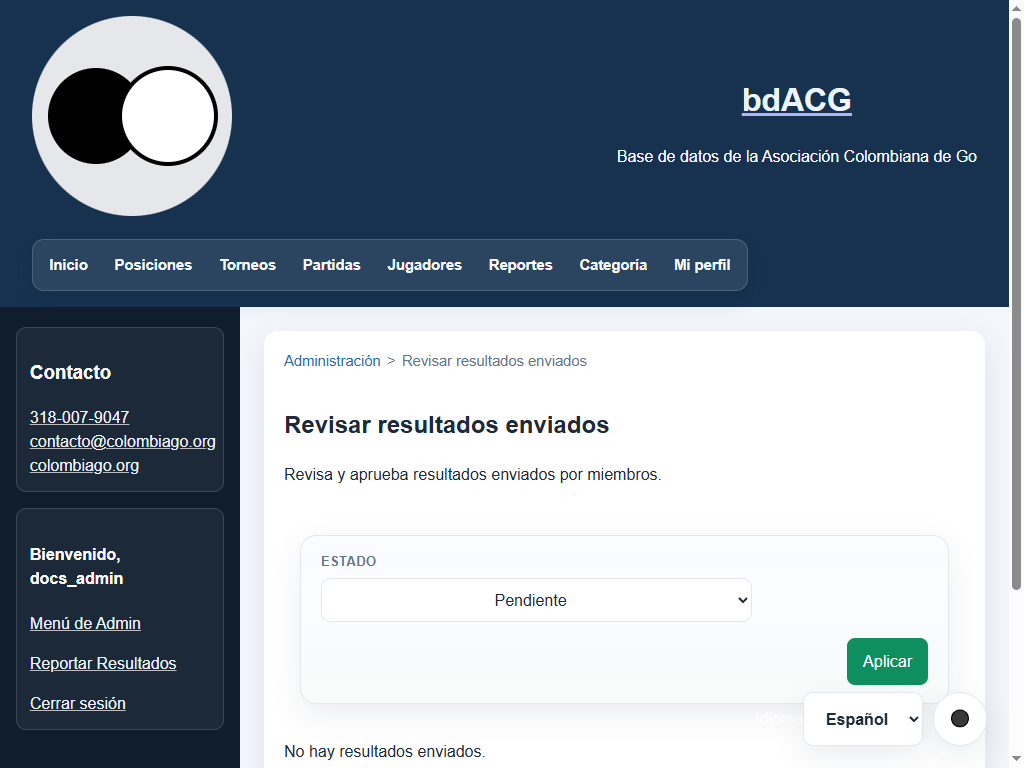
Moderation queue with status filter, match details, and approve/reject actions.
Operational and security tasks
1. Backups and restore (/admin/backups)
- Create backup: generates timestamped SQLite backup in
backups/, including the SGF sidecar folder. - Restore backup:
- Restores the selected database and runs pending database migrations.
- Rebuilds full-text search artifacts and the FTS5 search index (
players_fts). - Restores the SGF library sidecar without breaking links.
- Restricts candidate backups to managed files and designated
.bakfallbacks. - Delete backups: purge older backups to free storage space.
- Run
python scripts/check_legacy_players_state.pyto audit the active database and managed backups.
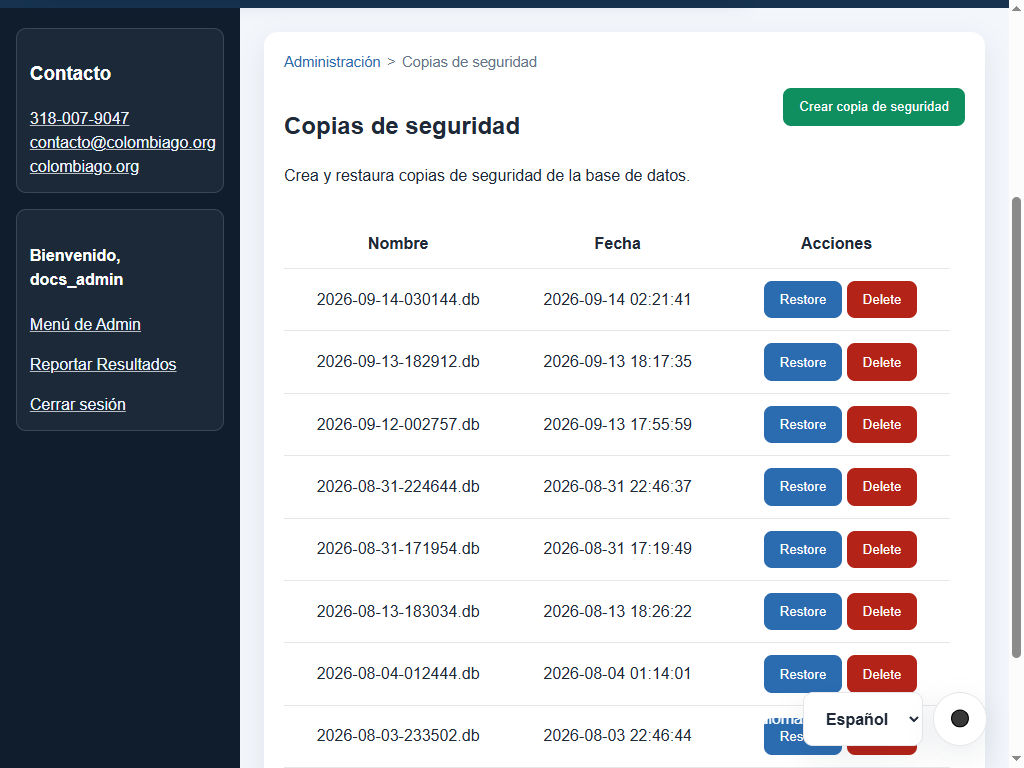
Backup list with create, restore, and delete actions.
2. User account management (/admin/users)
- Create and edit user accounts with roles (
administrator,operator,tournament_director,member). - Link user accounts to player profiles to enable result reporting.
- Assign account-specific IANA timezones.
- Activate or deactivate user logins.
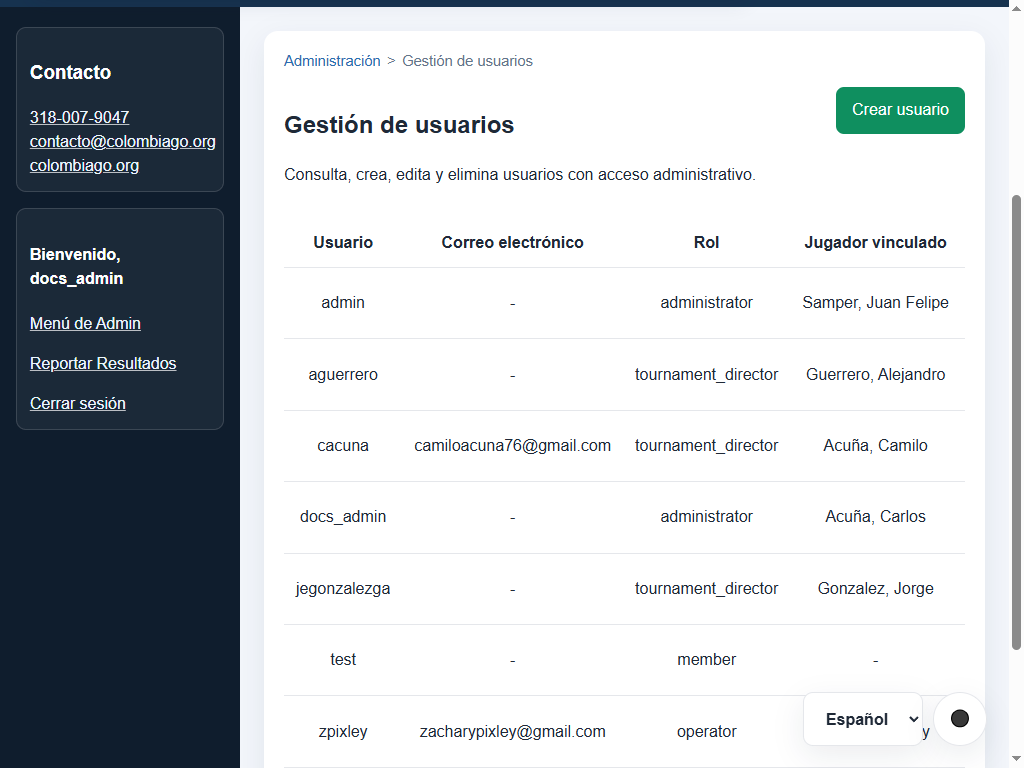
Account list showing role, linked player, timezone, status, and actions.
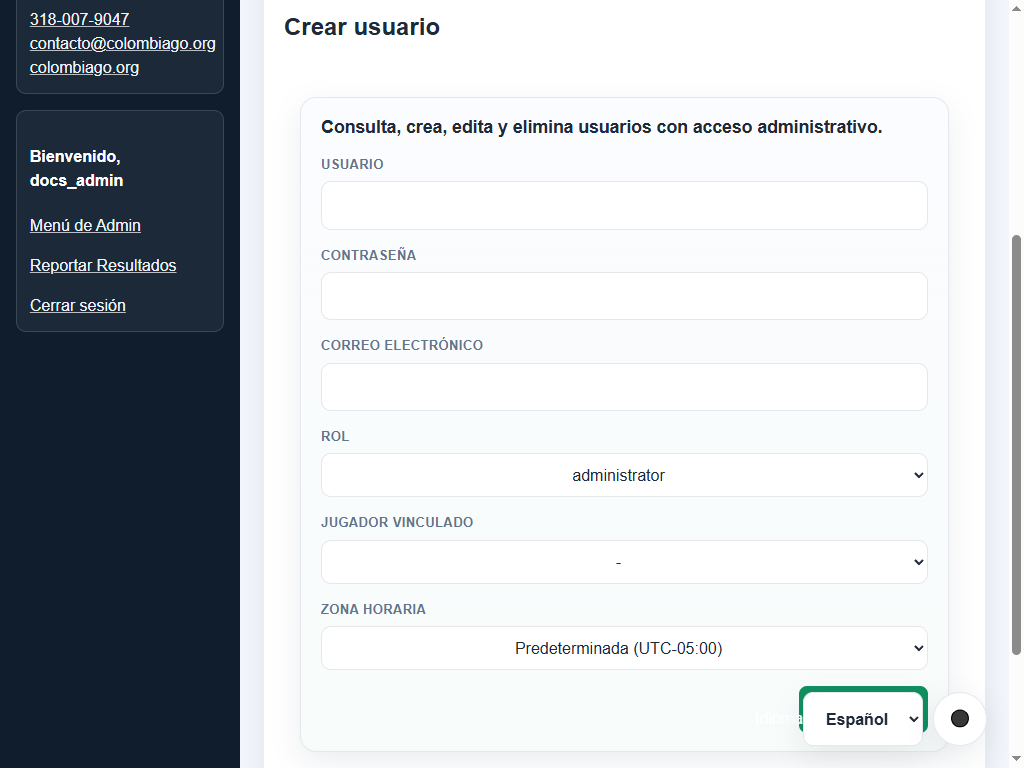
Form for creating an account and assigning its role, linked player, and timezone.
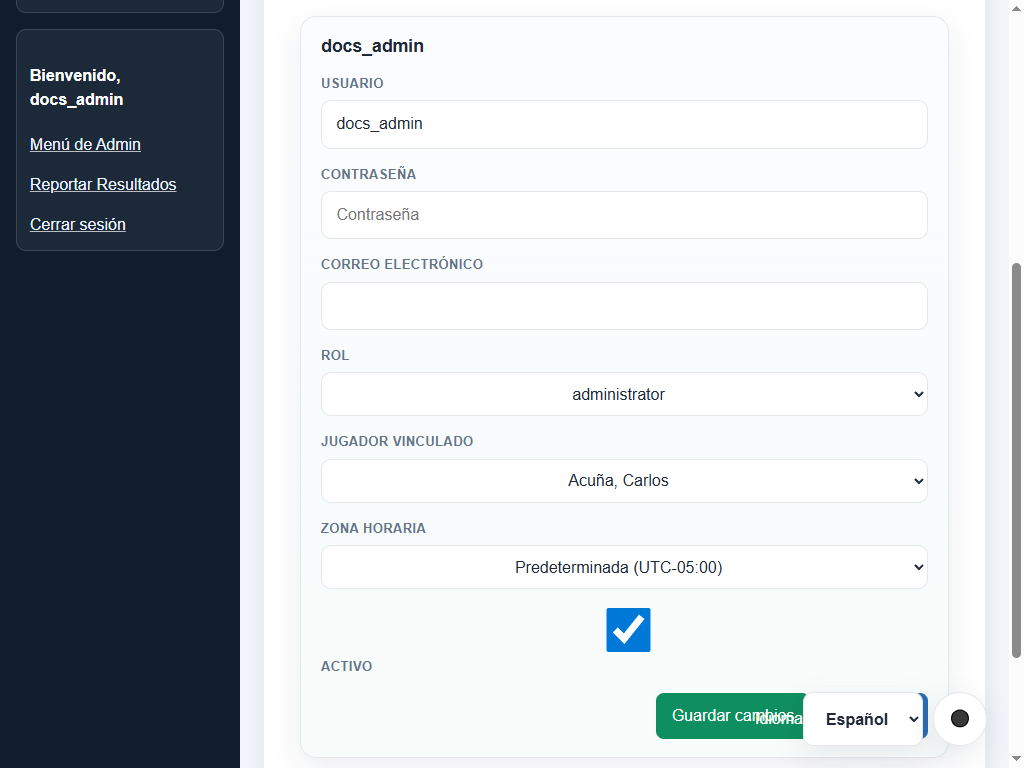
Editing docs_admin, showing the Acuña, Carlos player link and account permissions.
3. News publishing (/admin/news)
- Compose news articles with title, body, and status (Draft or Published).
- Insert smart tags:
[player:12],[tournament:5],[match:104], rendered publicly as interactive links and SGF badges.
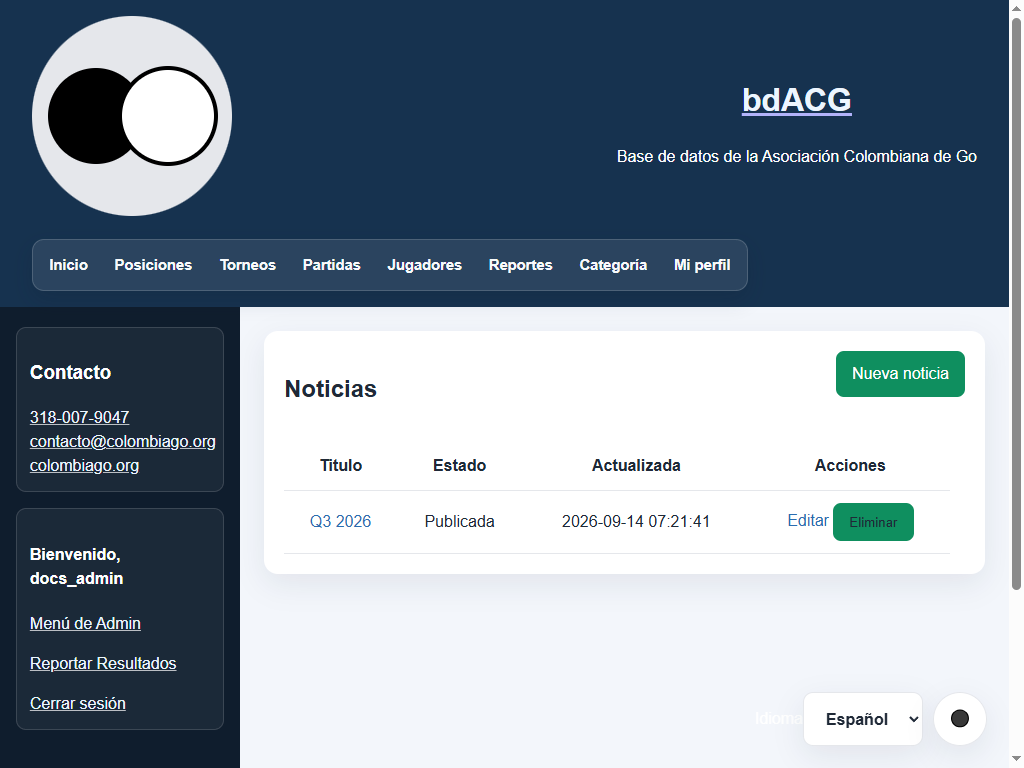
News list with publication status, update date, and actions.
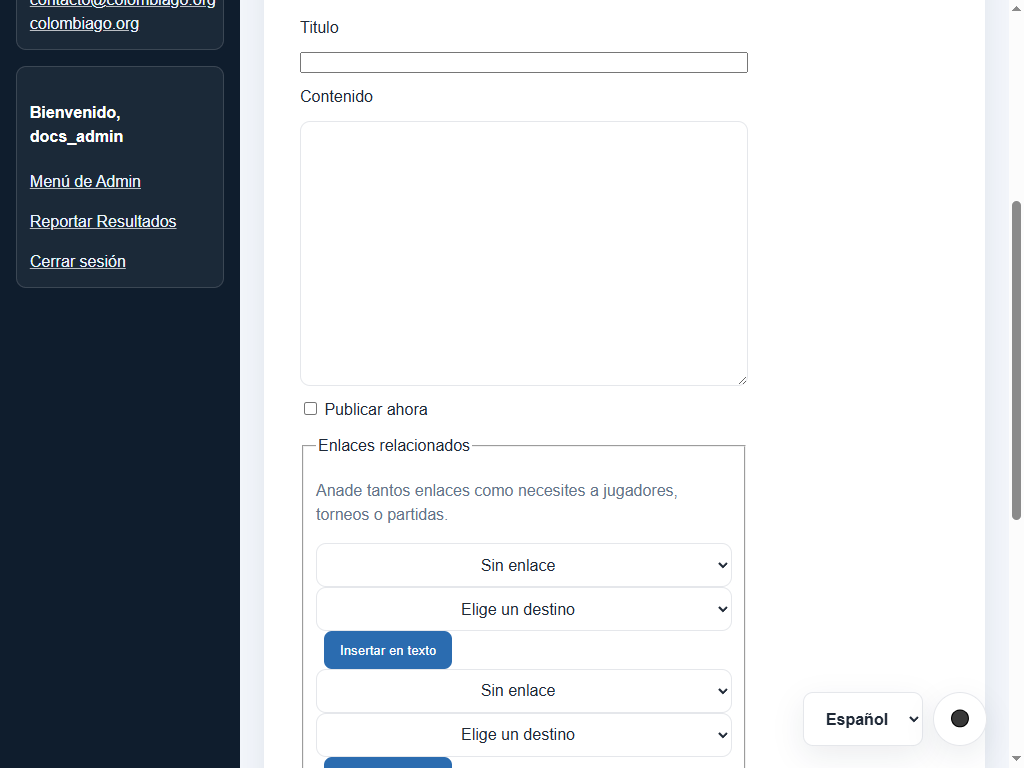
New-article form with immediate publication and smart-link fields.
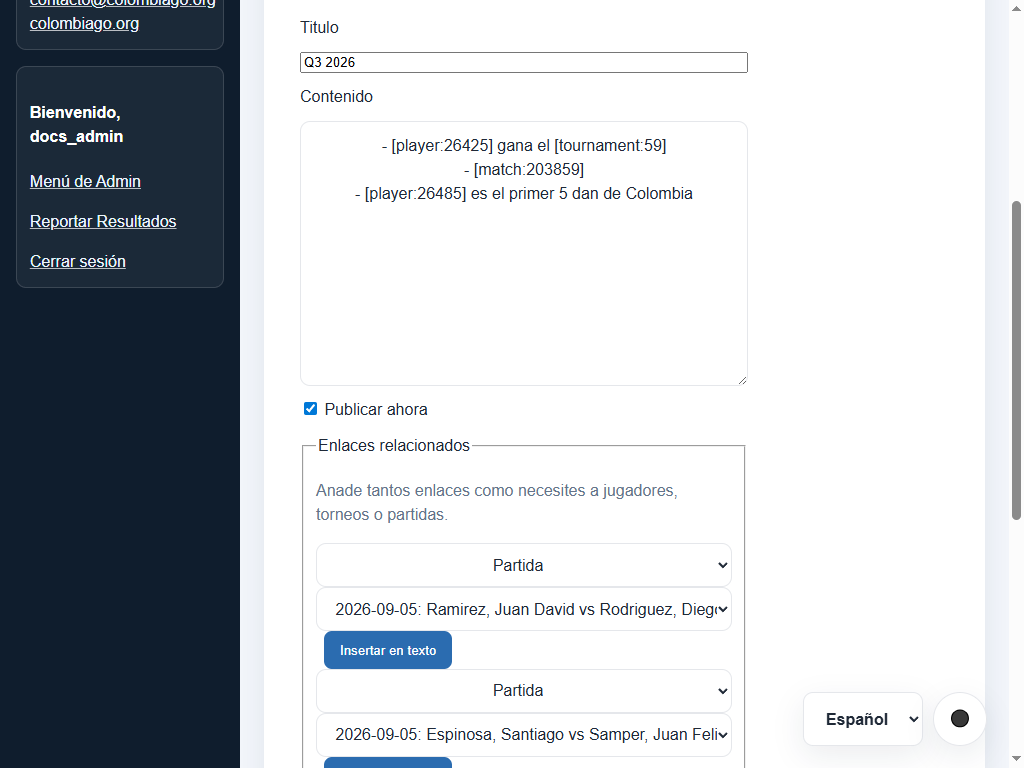
Pre-filled form for editing an article body, status, and related links.
4. Audit review (/admin/audit)
- Comprehensive audit trail of all state-changing operations: imports, tournament lifecycle, match edits, rating changes, user updates, and backups.
- Filter by acting user, action category, free-text query, and date range.
- Compact JSON payload capped at 2 KiB per event with automatic 730-day pruning (
AUDIT_RETENTION_DAYS).
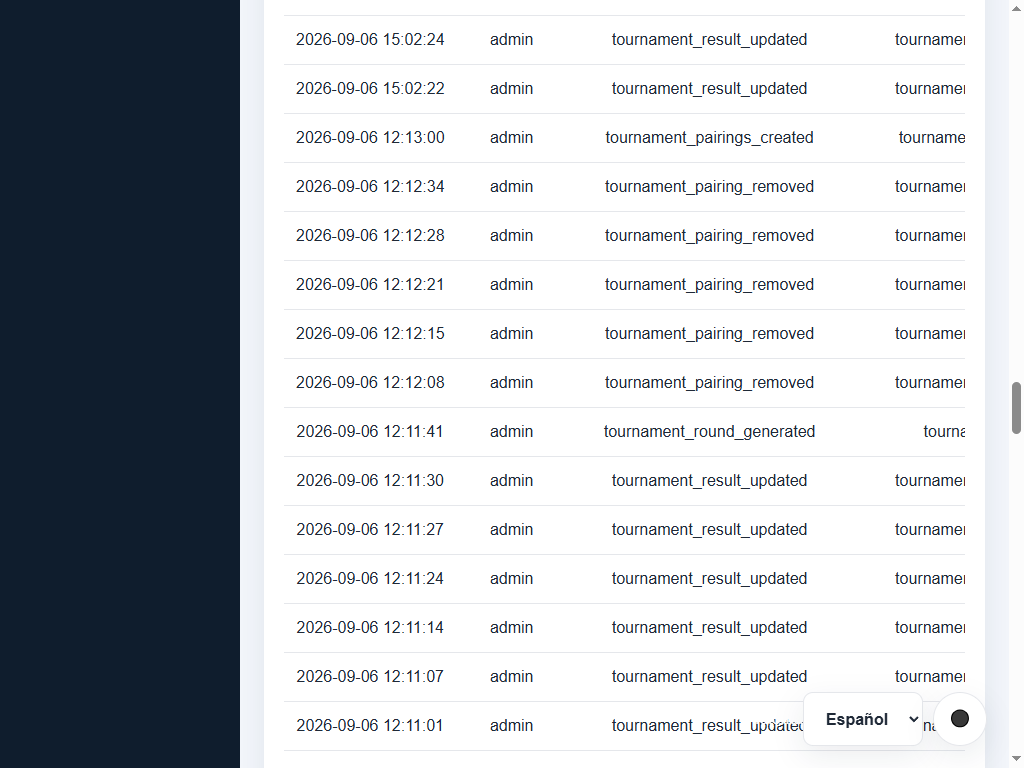
Administrative audit log with filtering by user, action category, and date range.
5. Application security settings (/admin/settings)
- Configure maximum failed login attempts before temporary IP block.
- Adjust rate-limiting time window (in seconds).
- Configure password reset token lifetime (TTL).
- Reset button to restore defaults from
config.py.
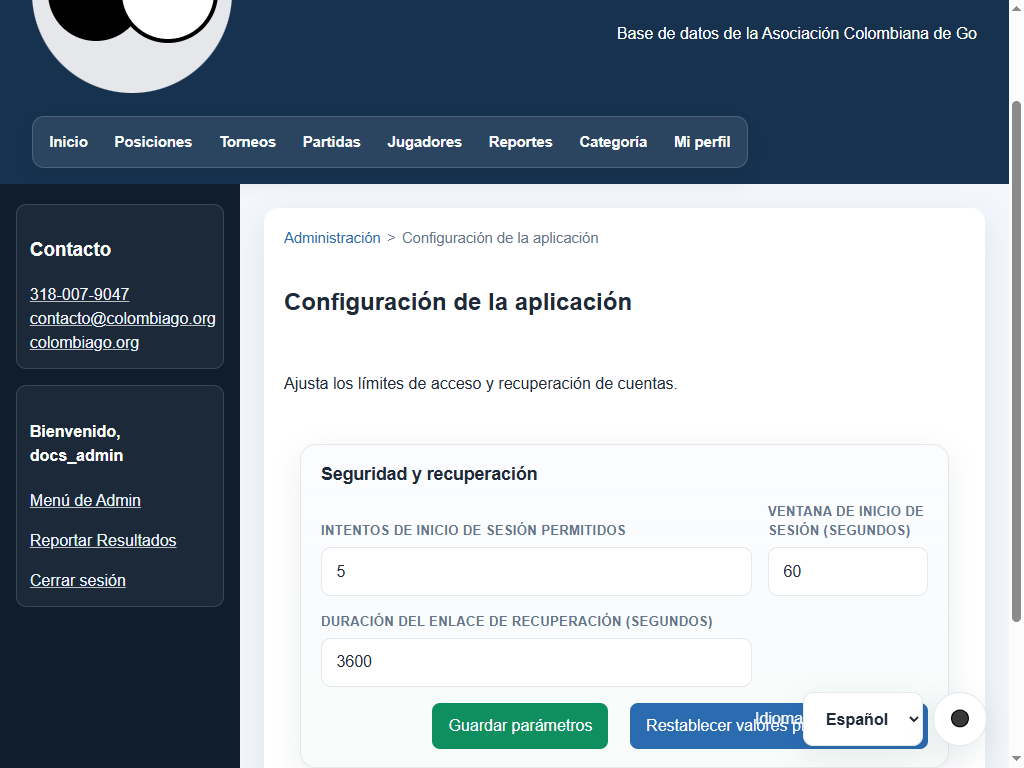
Administrative parameters for login attempts, rate-limit window, and recovery-link TTL.
Troubleshooting guide
- Access Forbidden (403): verify that your account has the required role (
tournament_director,operator, oradministrator) for the requested section. - Cannot submit results as member: confirm in
/admin/usersthat your user account is linked to an active player record. - Import failures:
- Ensure CSV files use UTF-8 encoding and contain required headers
date,white,black,result. - Verify date format isYYYY-MM-DDand results are1-0,0-1, or1/2-1/2. - Ensure handicap stones are within the valid 0-9 range. - Missing SGF records: if an SGF file is deleted from disk, the system clears the link automatically. Re-upload the file from
/admin/matchesor the SGF library. - Database restoration: after restoring a backup, allow schema migrations and FTS5 indexing to complete before serving requests.
- Production security: store secrets (
APP_SECRET_KEY,ADMIN_PASSWORD, SMTP credentials, reCAPTCHA keys) in server environment variables, never in source control.